
About Me
I am currently studying Game Programming at Futuregames in Skellefteå, Sweden. In addition, I hold a bachelor's degree in Mechanical Engineering. As a Mechanical Engineer, I have several years of experience in engineering and management across different sectors and markets. I later decided to follow my passion and transition into a career as a Game Programmer, bringing along my background and experience in Mechanical Engineering.
Currently Working On
Unity Game Programmer – Ongoing Steam Project (NDA Protected)
Currently working as a Game Programmer on a 2D management game slated for release on Steam. The project involves developing core gameplay systems, UI interaction, and game mechanics using Unity. Due to NDA restrictions, specific details about the game and studio are confidential. Focused on delivering smooth user experience, efficient game logic, and scalable code architecture in a team environment.
Hobbies & Interests
Past Experiences
Several job experiences as Mechanical Engineer in the roles below:Area Sales Manager
Sales Executive
Inside Sales Engineer
Sales Engineer
After Sales Engineer
Strengths
As a game programmer, I am adept in Unity and Unreal Engine, with good understanding of related programming languages.
C# and C++
Unity and Unreal Engine
Gameplay Programming
Behavioural AI Programming
Data Structures & Algorithms
Procedural Generation
Grid Systems
Interaction Systems & Movement Physics
Character Controller Systems
Key soft skills:
Fast Learner : Quickly adapts to new tools, systems, and concepts.
Dedicated : Consistently committed to delivering high quality results.
Strong Communicator : Able to convey ideas clearly and collaborate effectively.
Punctual & Reliable : Meets deadlines and manages time efficiently.
Projects
Some of the projects I have worked on can be found below:
September 2025 - Ongoing / NDA Protected Steam Release - Unity - Game Programmer
2025 / Strata ² - Futuregames Game Project 4, 4 Weeks - Unreal Engine 5 - Enemy Systems & AI / download
2025 / Flower Shop - Futuregames Game Project 3, 7 Weeks - Unreal Engine 5 - Player & Truck Controller, Interaction & Grabbing Systems, Customer Spawning & Customer AI, Economy System, Version Control, Idea Creator / download
2025 / The Price of Sanity - Futuregames Game Project 2, 4 Weeks - Unity - Enemy Systems, AI, Combat / download
2024 / The Fire City - Futuregames Game Project 1, 3 Weeks - Unity - Enemy/Building Systems, Game Logic & AI / download
Ongoing / Village Simulation - Solo Project - Unity - Personal Project, Fully Automated Village Sim / play
2024 / Vampire Stuff - Solo Project, School Assignment, 5 Weeks - Unity - Personal Project, Bullet Hell / play
PROJECTS
Group Projects
Strata ²
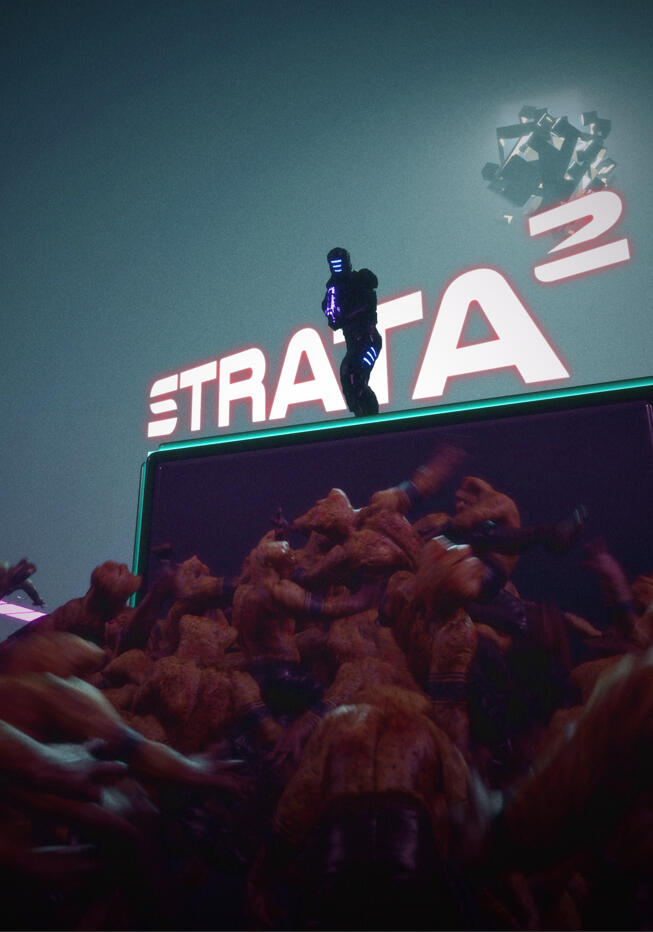
Date : 2025
Duration : 4 Weeks
Game Engine : Unreal Engine 5
Flower Shop

Date : 2025
Duration : 7 Weeks
Game Engine : Unreal Engine 5
The Price of Sanity

Date : 2025
Duration : 4 Weeks
Game Engine : Unity Engine
The Fire City
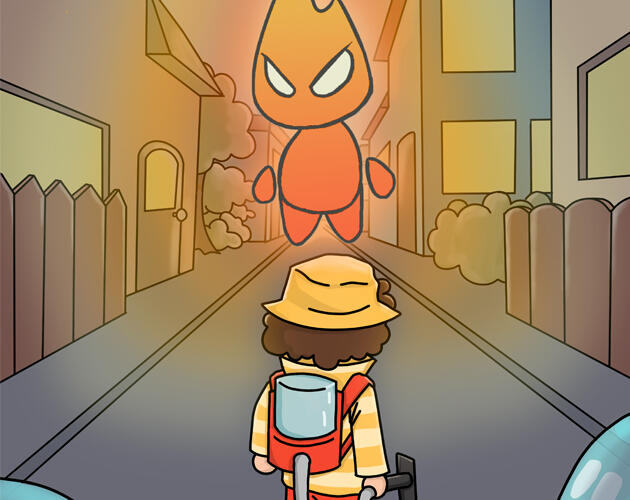
Date : 2024
Duration : 3 Weeks
Game Engine : Unity Engine
Solo Projects
Village Simulation
Date : 2025
Duration : Ongoing
Game Engine : Unity Engine
Vampire Stuff
Date : 2024
Duration : 5 Weeks
Game Engine : Unity Engine
Strata ²
Project ResponsibilitiesStrata ² – 4 Week Team Project at FuturegamesRole: Enemy Systems & AI Programmer
Game Engine: Unreal Engine 5This project was developed in Unreal Engine 5, where I served as the Enemy Systems & AI Programmer during the production phase. The initial prototype was developed by the design team, and my role as a gameplay programmer began when the project entered full production.I designed and implemented the Enemy Subsystem, a central system responsible for managing all active enemies and their spawners. The system handled enemy spawning, pooling, and lifecycle management, allowing efficient runtime control and balancing.I programmed four distinct enemy types in C++ and Behavior Trees:Aliens: Standard melee attackers with chase and combat logic.Tanky Aliens: High-health variants with charging attacks and can be stunned.Drones: Flying enemies with ranged attacks and radial strafing.Shield Drones: Flying enemies with beam attacks and having a shield and strafing.The system was built for flexibility, enabling designers to define spawning rules and AI behavior parameters directly within DataAssets and the Behavior Tree Editor. This structure made iteration during testing smoother and more designer-friendly.
Technical explanations and code snippets of some implementations can be found below:
Here are some videos showcasing my contributions to the project:
Enemy Management System
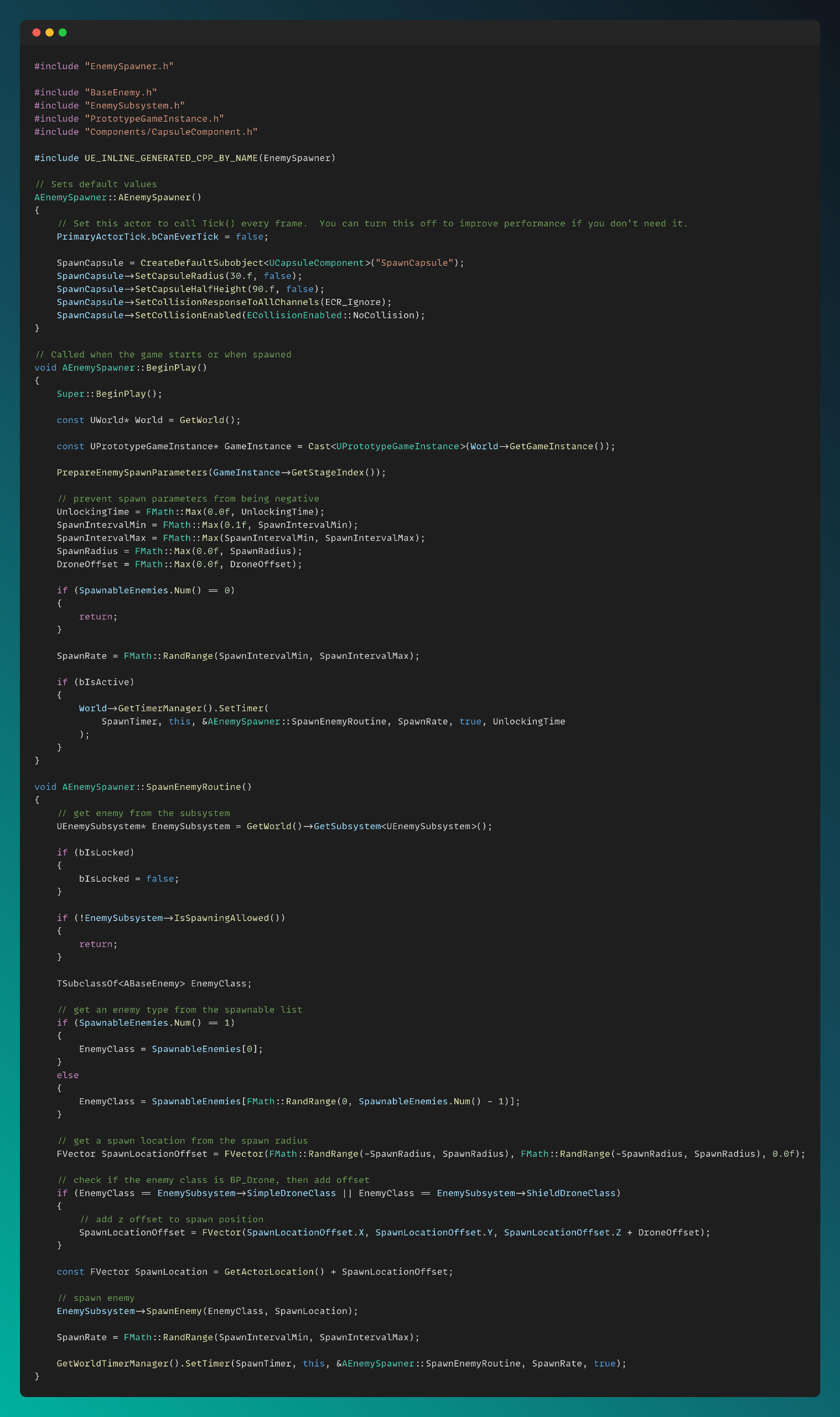
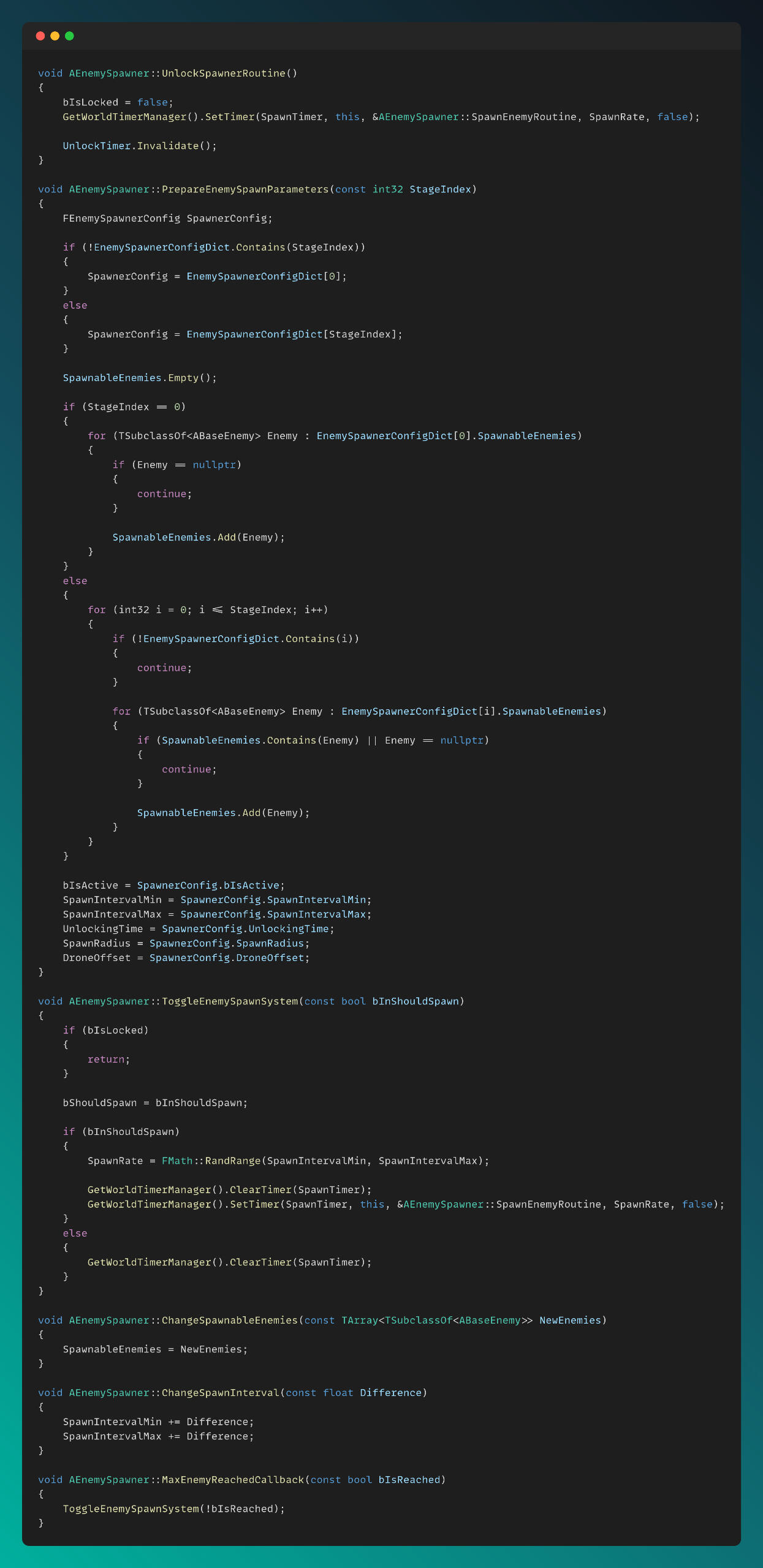
I created a world subsystem for enemy to get enemy related references from game instance and manage the whole enemy spawning and destroying system.
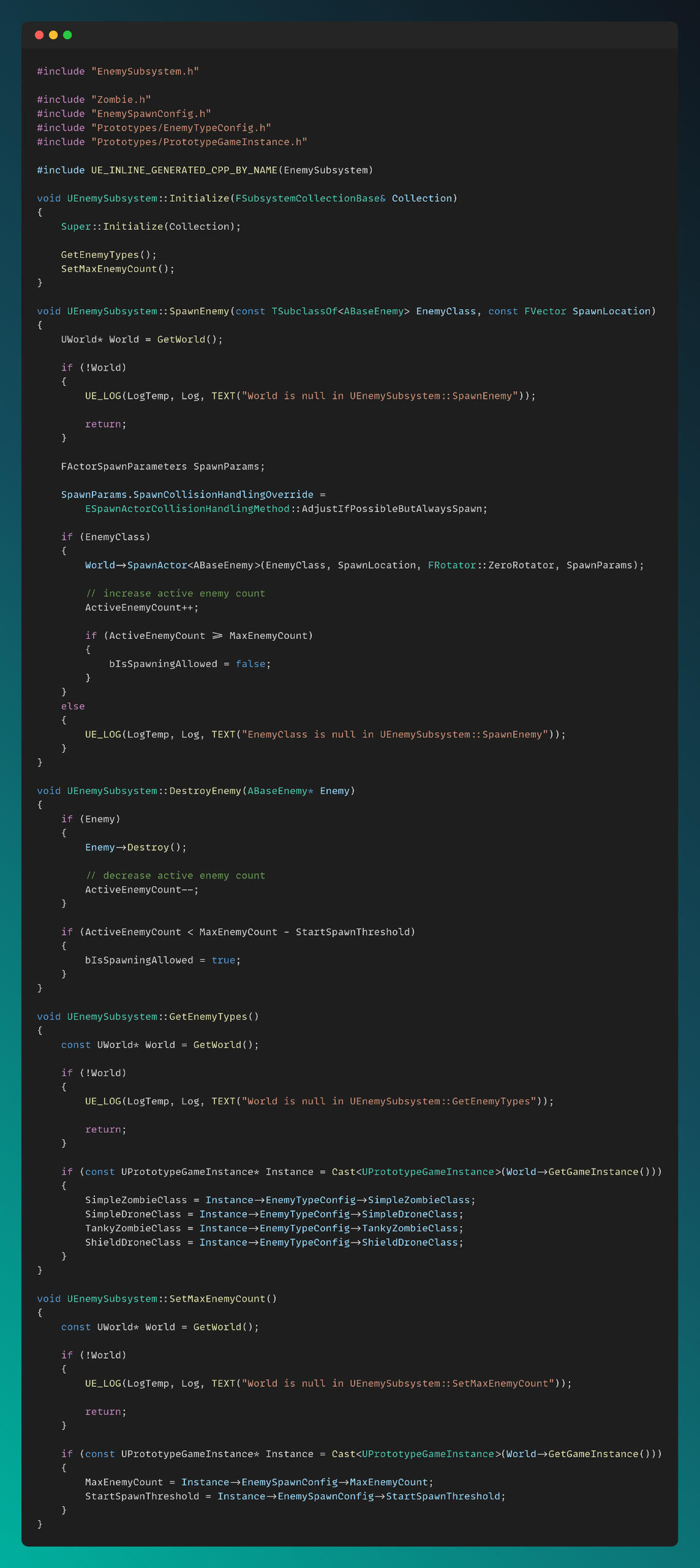
Enemy spawner actors were created and placed on the map. Various parameters can be adjusted from the Inspector by combat and level designers. The system is based on timer handles, and the spawning feature is controlled by the spawners, which request spawn permissions from the enemy subsystem.
Enemies
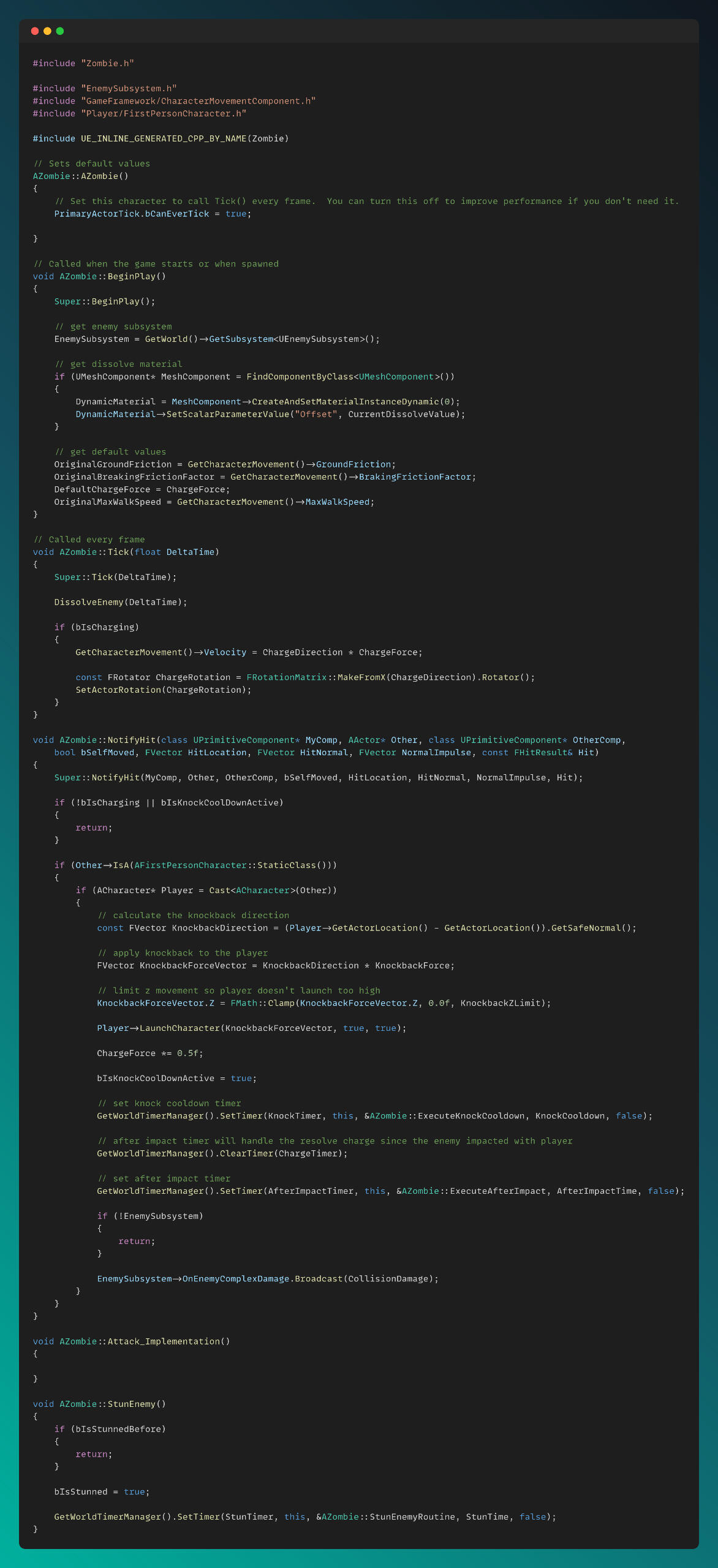
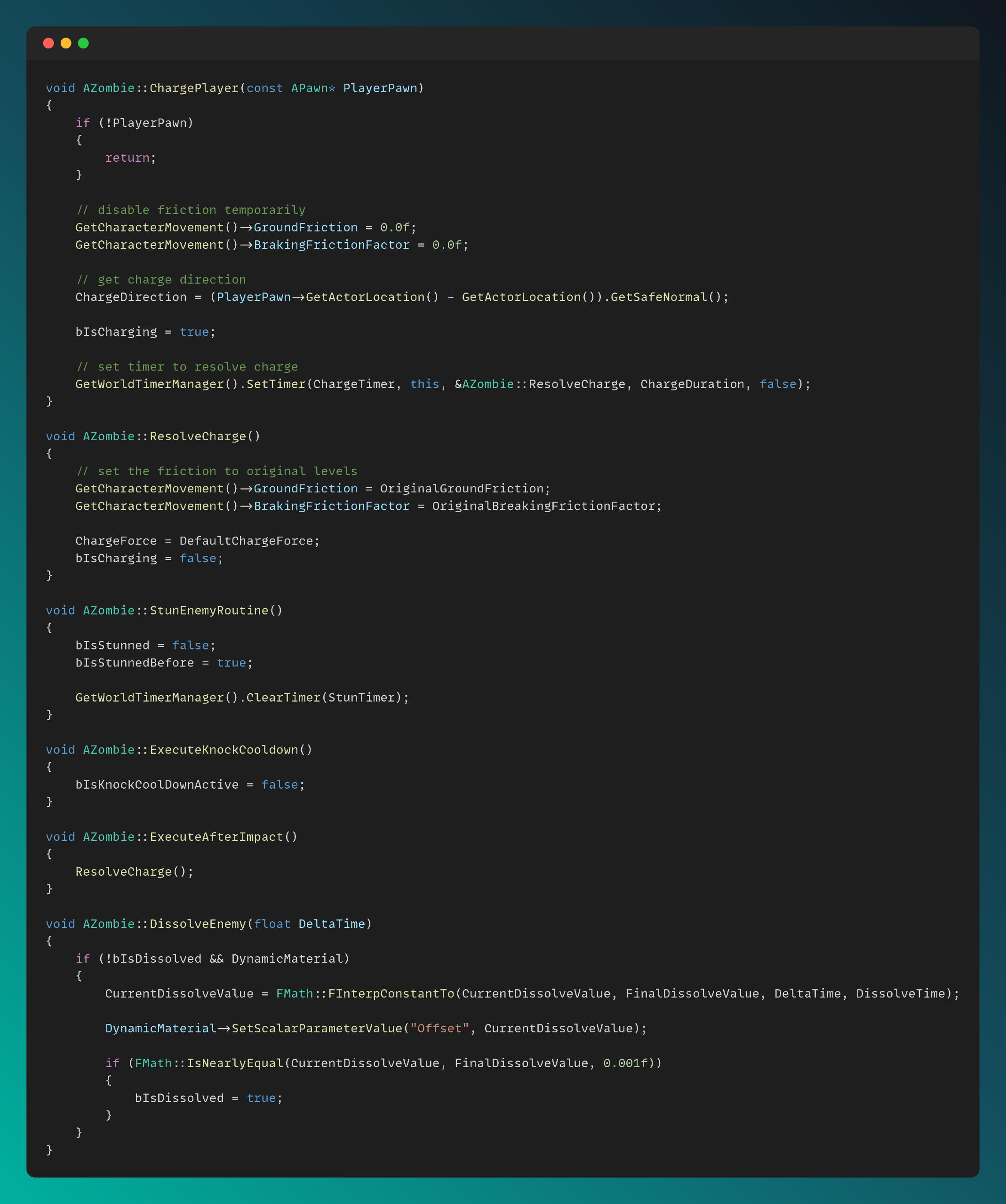
I created a BaseEnemy class as the parent of all enemy types, and derived Zombie and Drone enemies from it. Additionally, Shield Drones, which have special abilities such as shooting beams and generating shields, are derived from the Drone class.The Zombie.cpp file can be seen below. The functionality for tanky zombies, which charge toward the player and can be stunned, is also implemented in the main Zombie.cpp script.
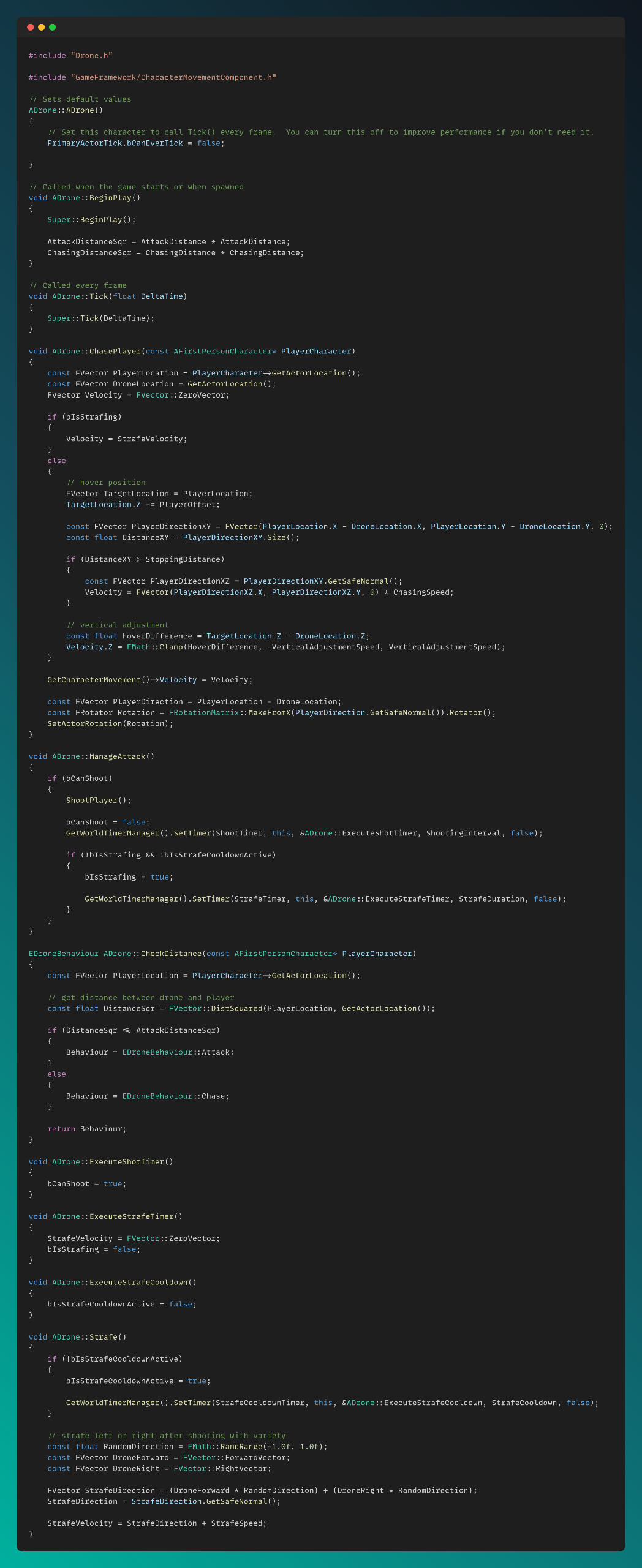
The drones, which hover over the player and perform a radial strafe after attacking, have their script shown below:
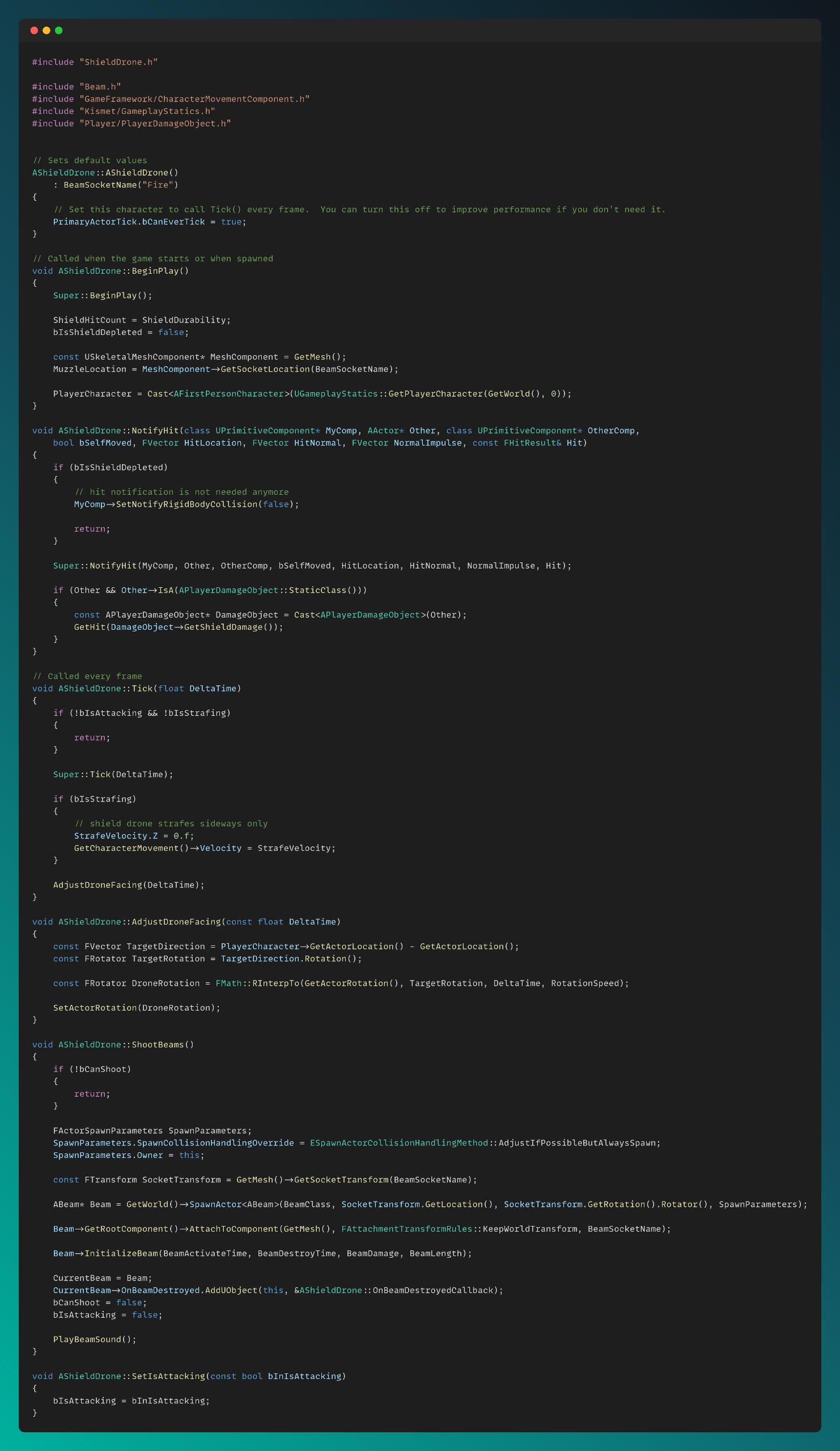
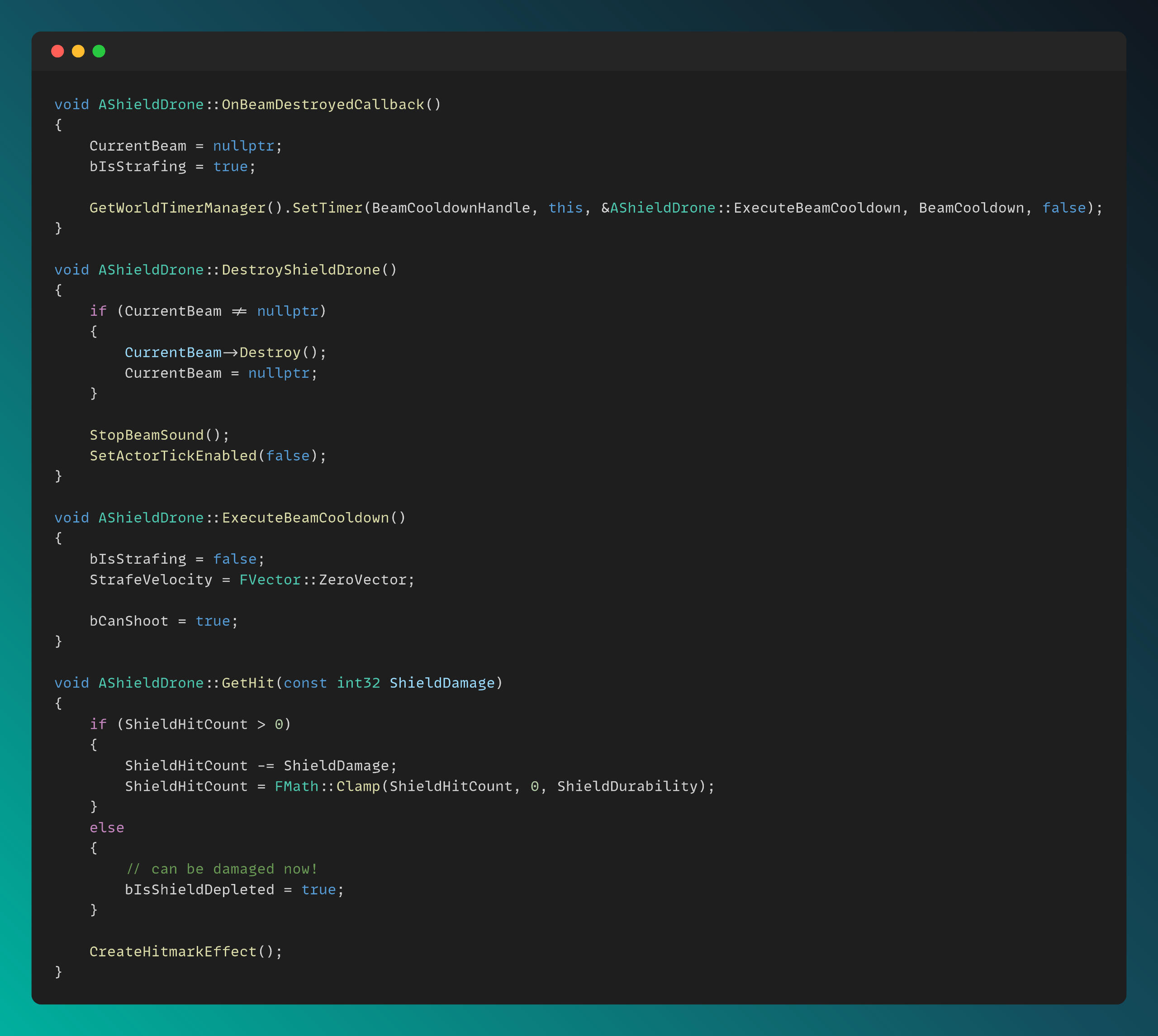
The Shield Drones, which have special features such as shooting beams and generating shields, are implemented in a separate class derived from Drone.cpp.
Behavioral AI Tree & Tasks
We have separate behavior trees for each enemy type. Some tasks are shared among several enemies, and complex AI tasks are heavily coupled with C++ to achieve an optimized codebase and enhanced performance. As an example three behavior trees are shared below:
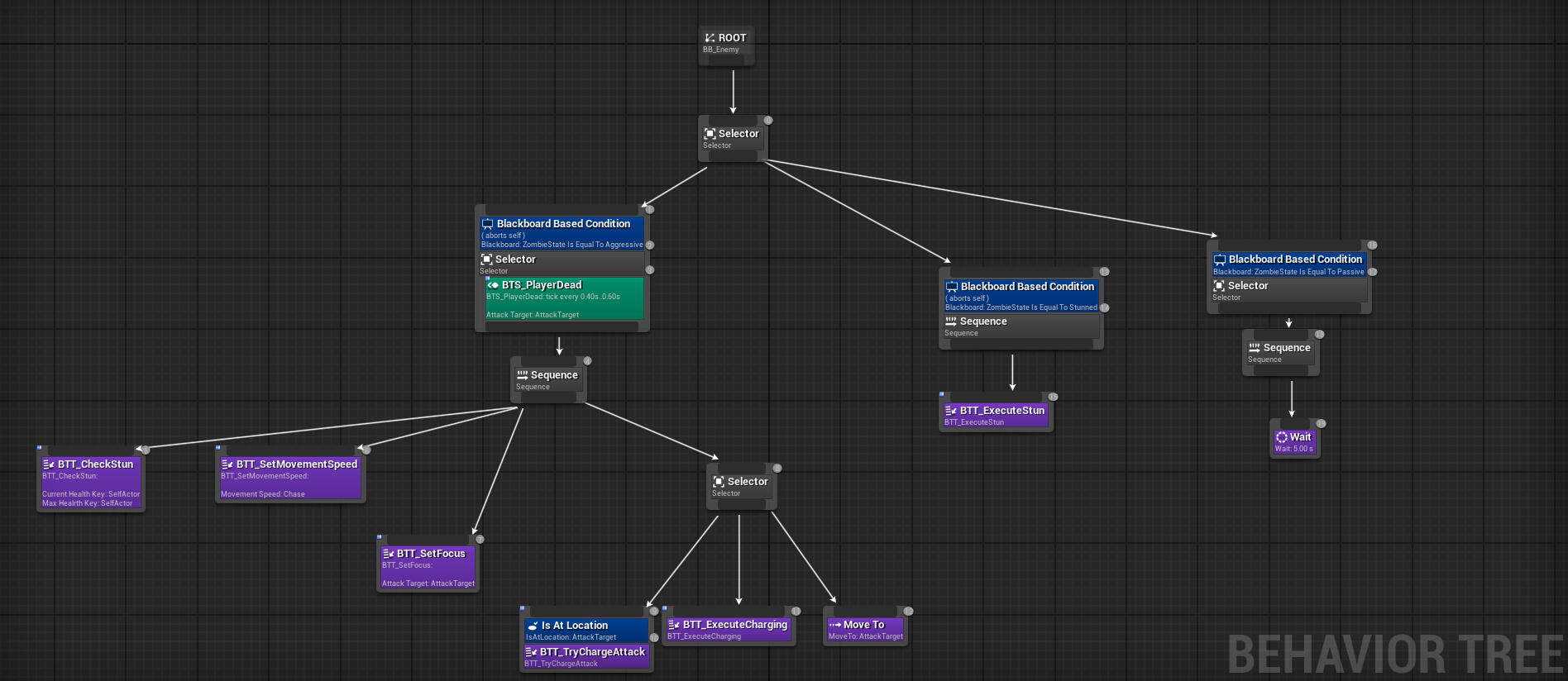
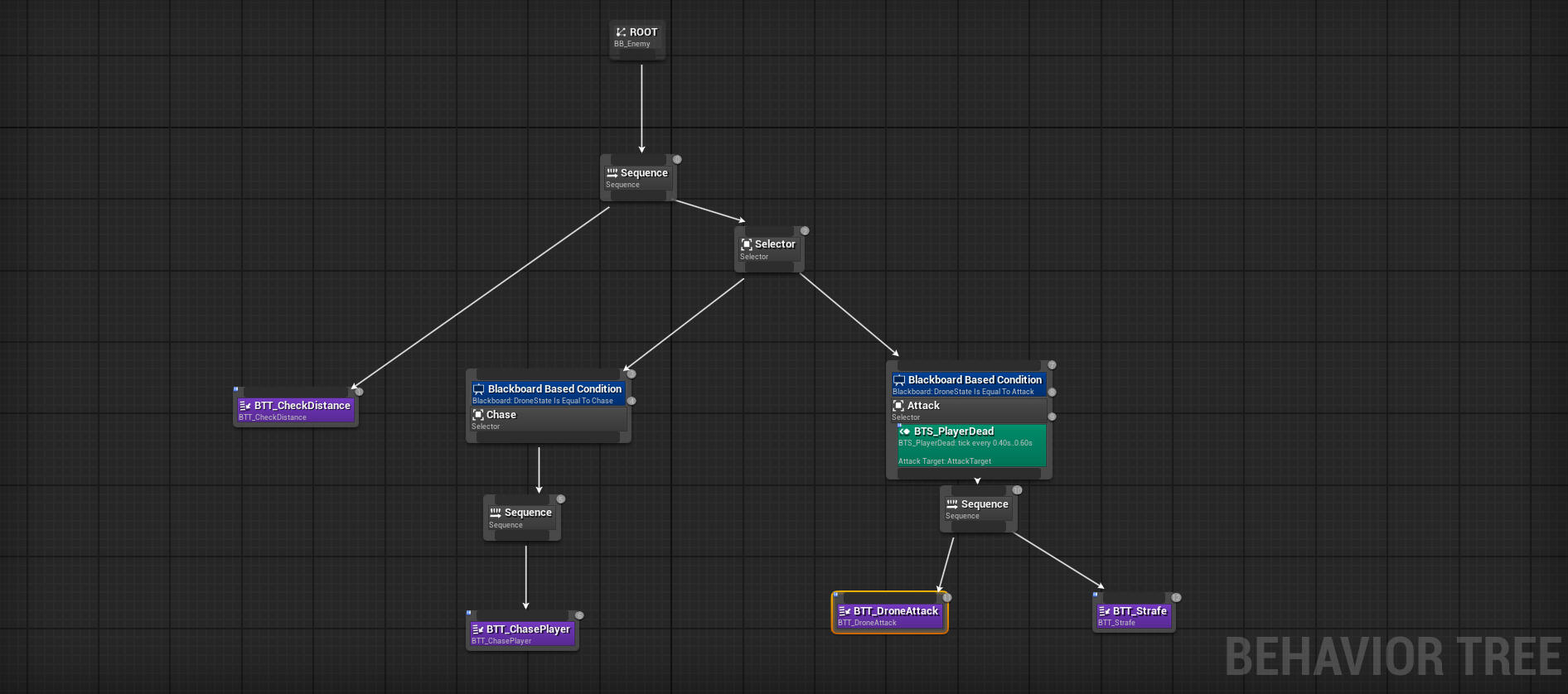
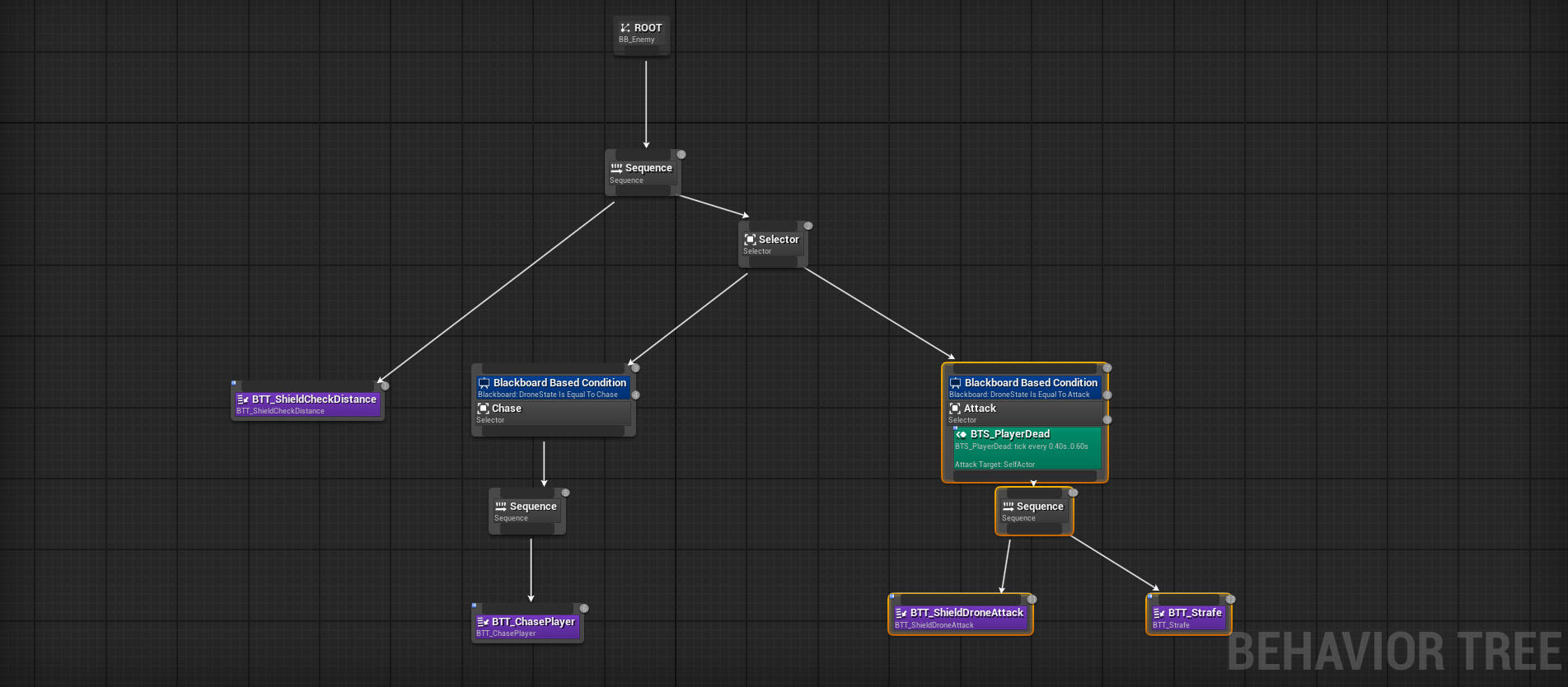
An example of how the task system is connected to the C++ function library to handle complex tasks can be seen below:
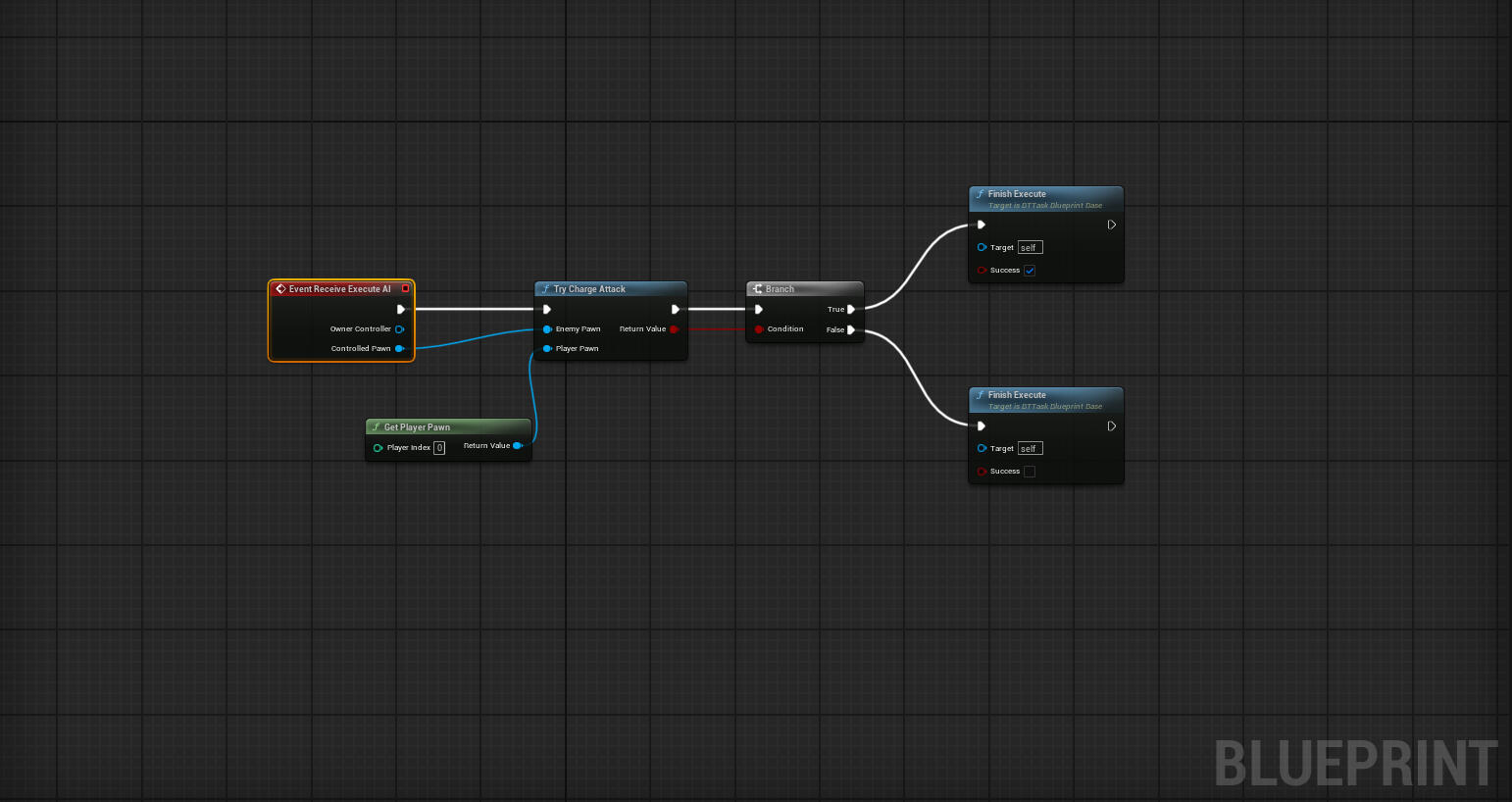
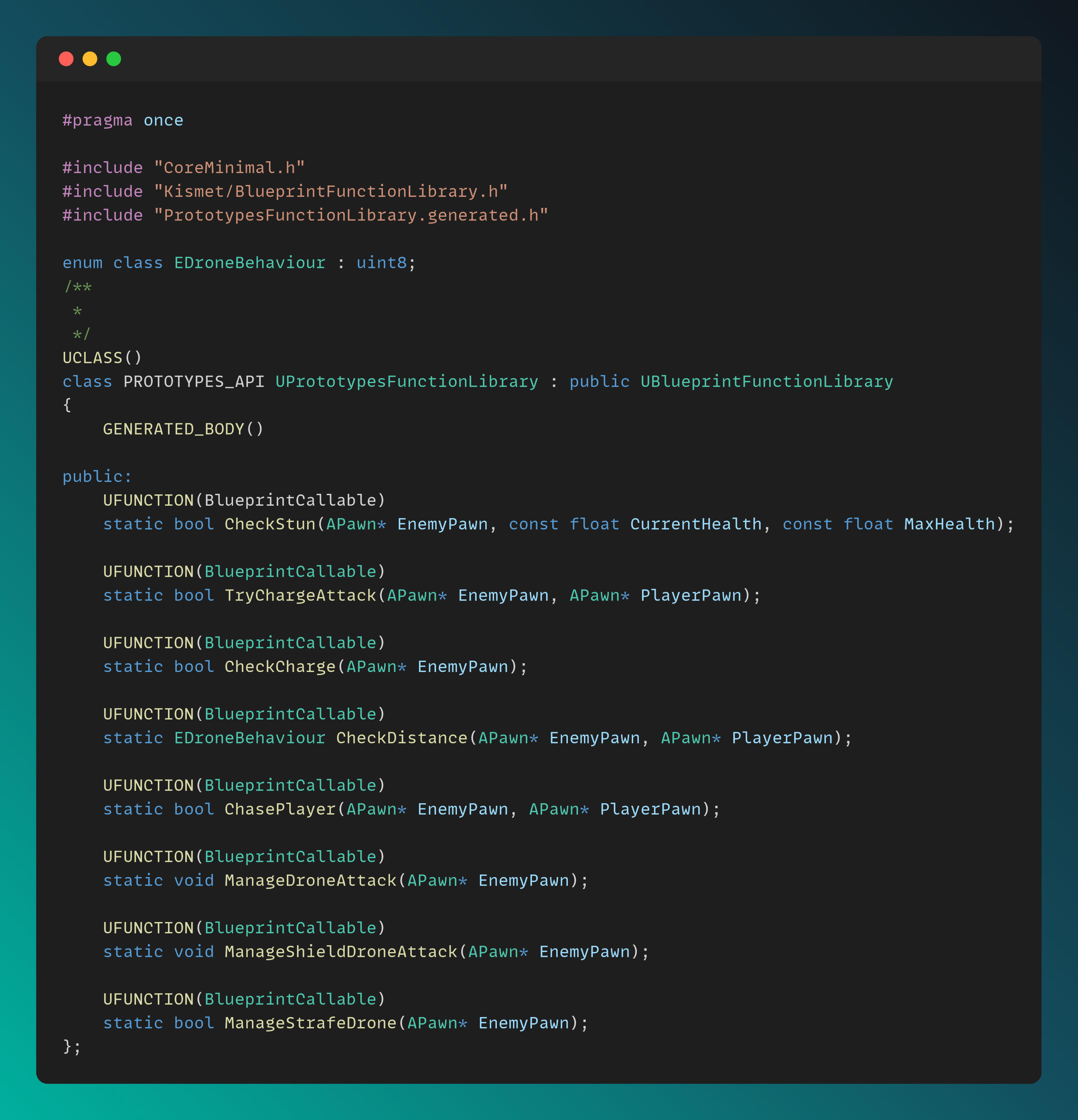
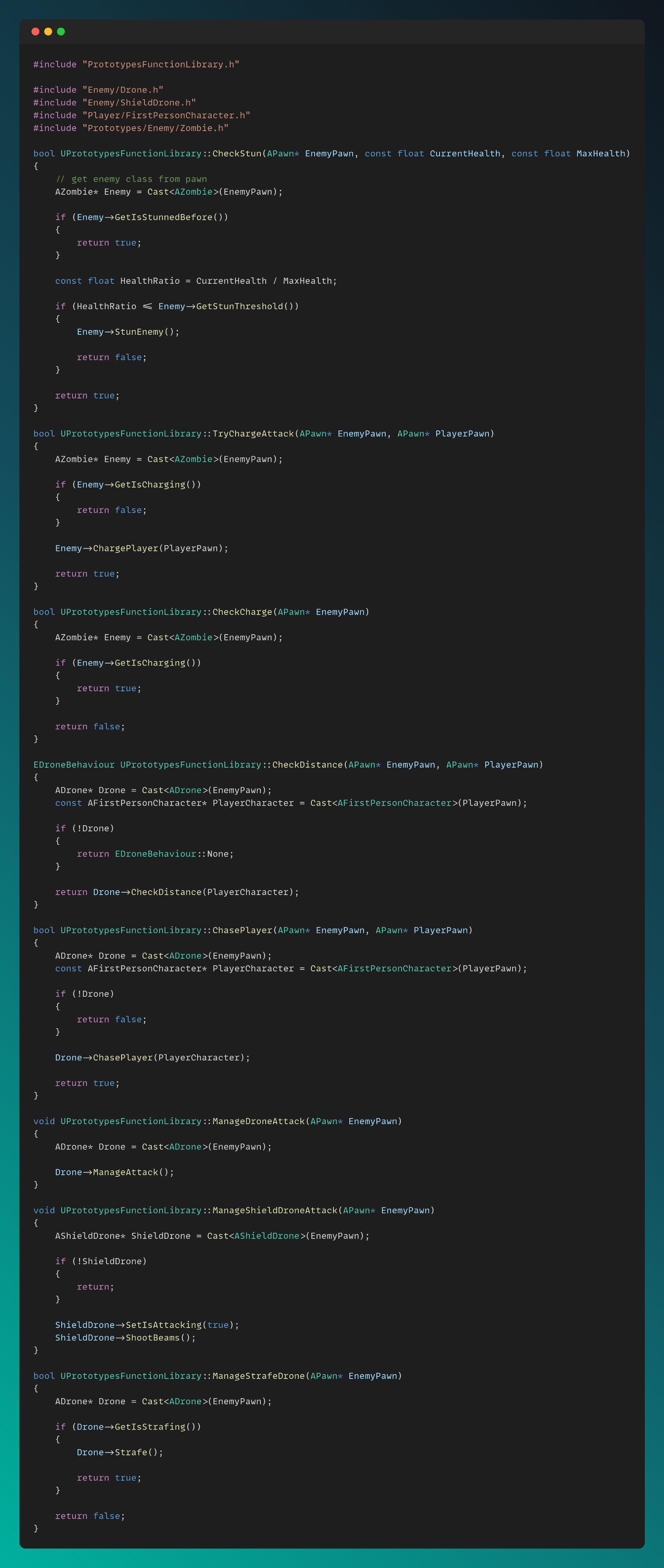
I created a Blueprint Function Library as an interface between Blueprint Tasks and C++ classes to transfer C++ functionality to Blueprint tasks, as shown below:
Flower Shop

Project ResponsibilitiesFlower Shop – 7 Week Team Project at FuturegamesRole: Gameplay Programmer, Idea Creator
(Player & Car Controller, Interaction & Grabbing System, Customer Spawner & AI, Economy System, and Version Control)
Game Engine: Unreal Engine 5This project was developed in Unreal Engine 5, where I served as the Gameplay Programmer. My responsibilities included implementing the Player and Car Controllers, the Interaction & Grabbing System, the Customer Spawner & AI, the Economy System, and managing Version Control.I developed a fully expandable and Blueprint friendly interaction system in C++, complete with necessary interfaces and physics handling to support our interaction-heavy gameplay. The player and truck controllers were also implemented in C++. For truck physics, I utilized the Chaos Vehicles system provided by Unreal Engine 5.The Customer AI was built using Behavior Trees and was tightly integrated with C++ to ensure robustness. I also implemented all related interaction, character, and truck sound systems.In addition to my programming duties, I acted as a technical advisor, helping the team keep the project scope manageable. I also represented the technical aspects of the game during Greenlight, Alpha, and Beta presentations. As one of the original idea creators, I contributed to both the design and direction of the project.
Technical explanations and code snippets of some implementations can be found below:
Here are some videos showcasing my contributions to the project:
Player Movement, Grabbing and Interaction
Truck Movement, Interaction, Grabbing & Flower Picking
Interaction with Objects
Customer Spawning & AI, Economy System
Interaction System
I developed a Blueprint-friendly interaction interface that provides a complete reaction system for interacting, grabbing, and dropping objects. Any object implementing this interface can seamlessly respond to player input, ensuring flexible and accessible interaction across the system.
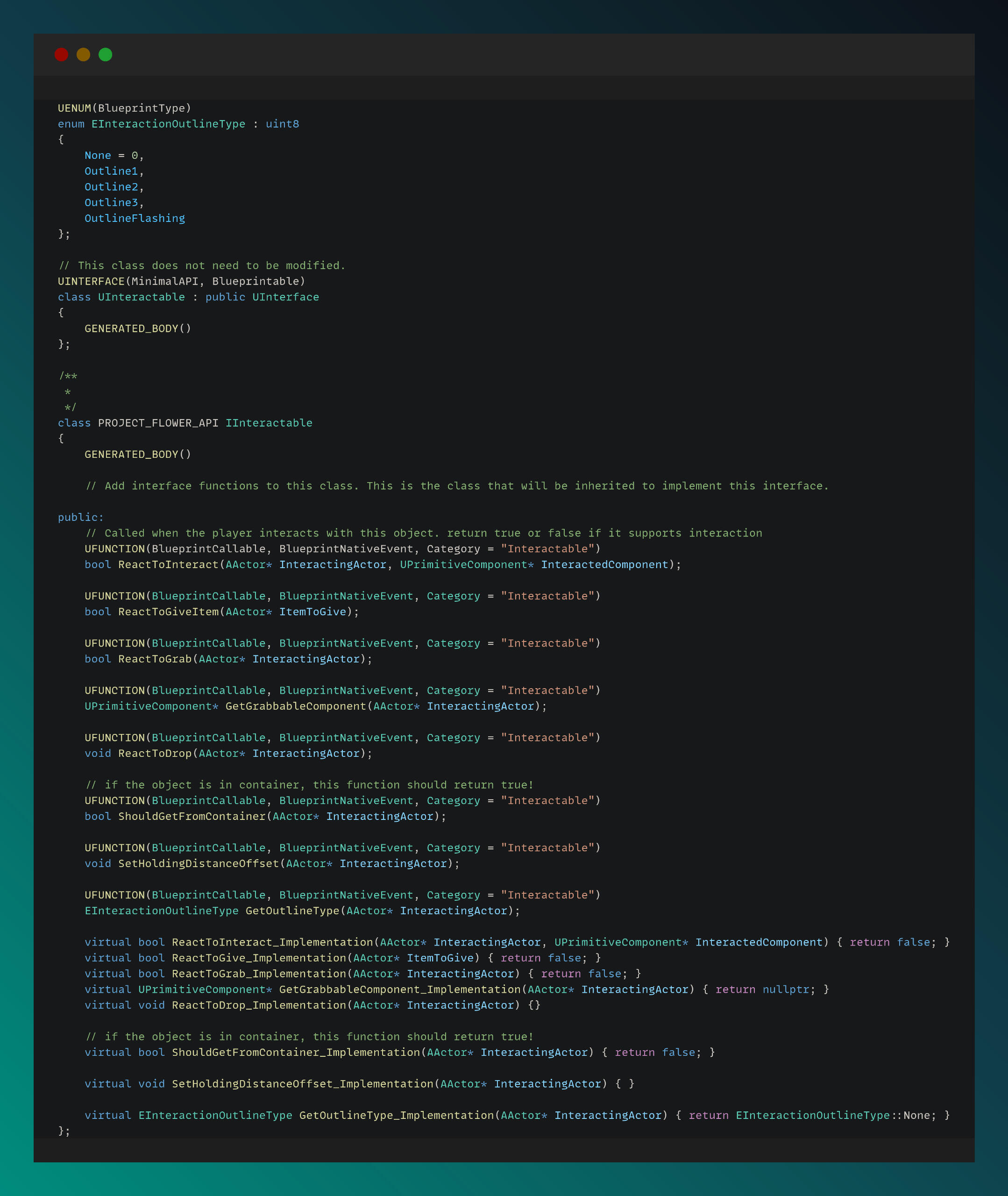
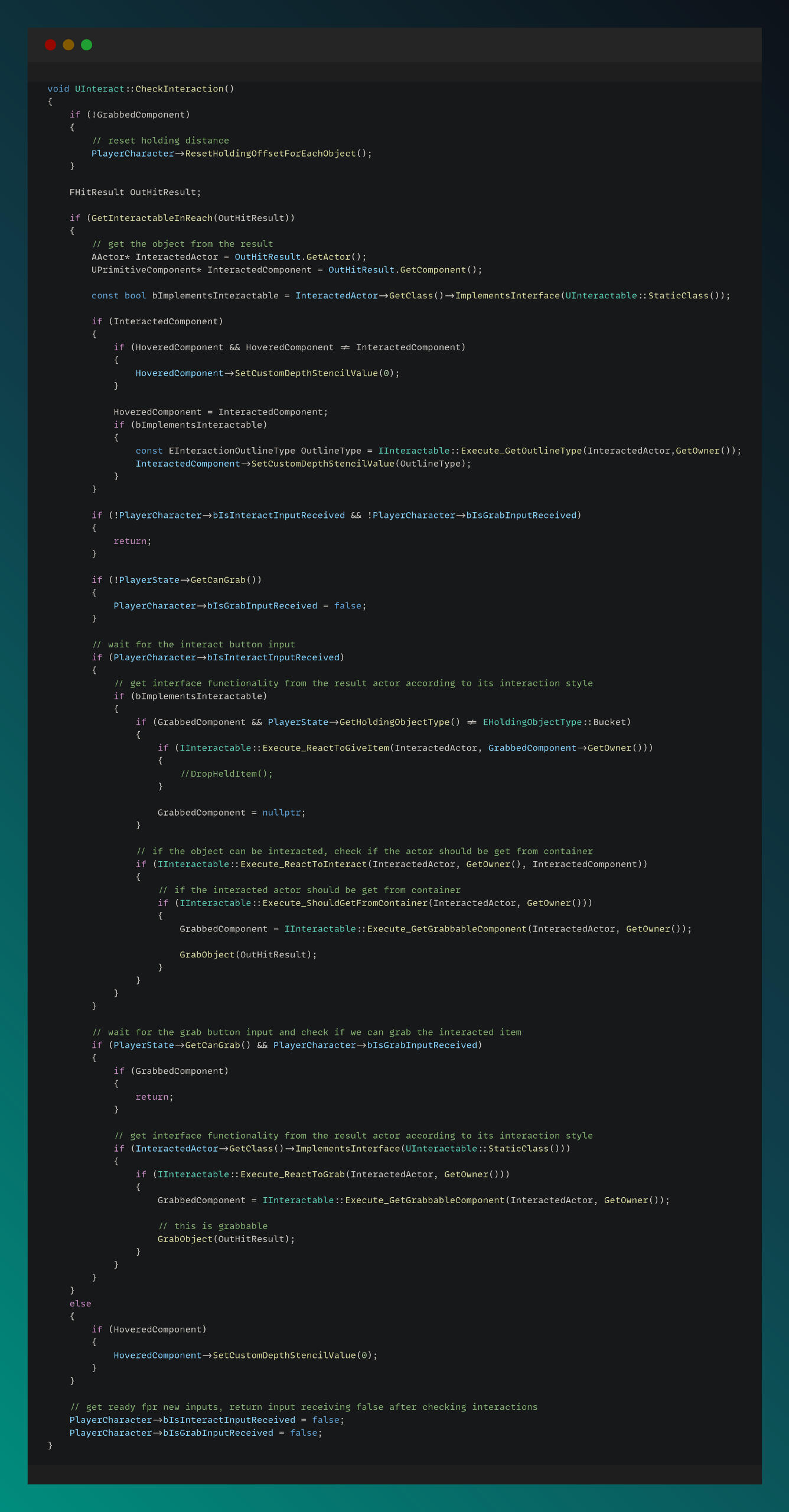
In the function below, I verify whether the requested object can be interacted with, based on the received input and the object’s interface implementation.
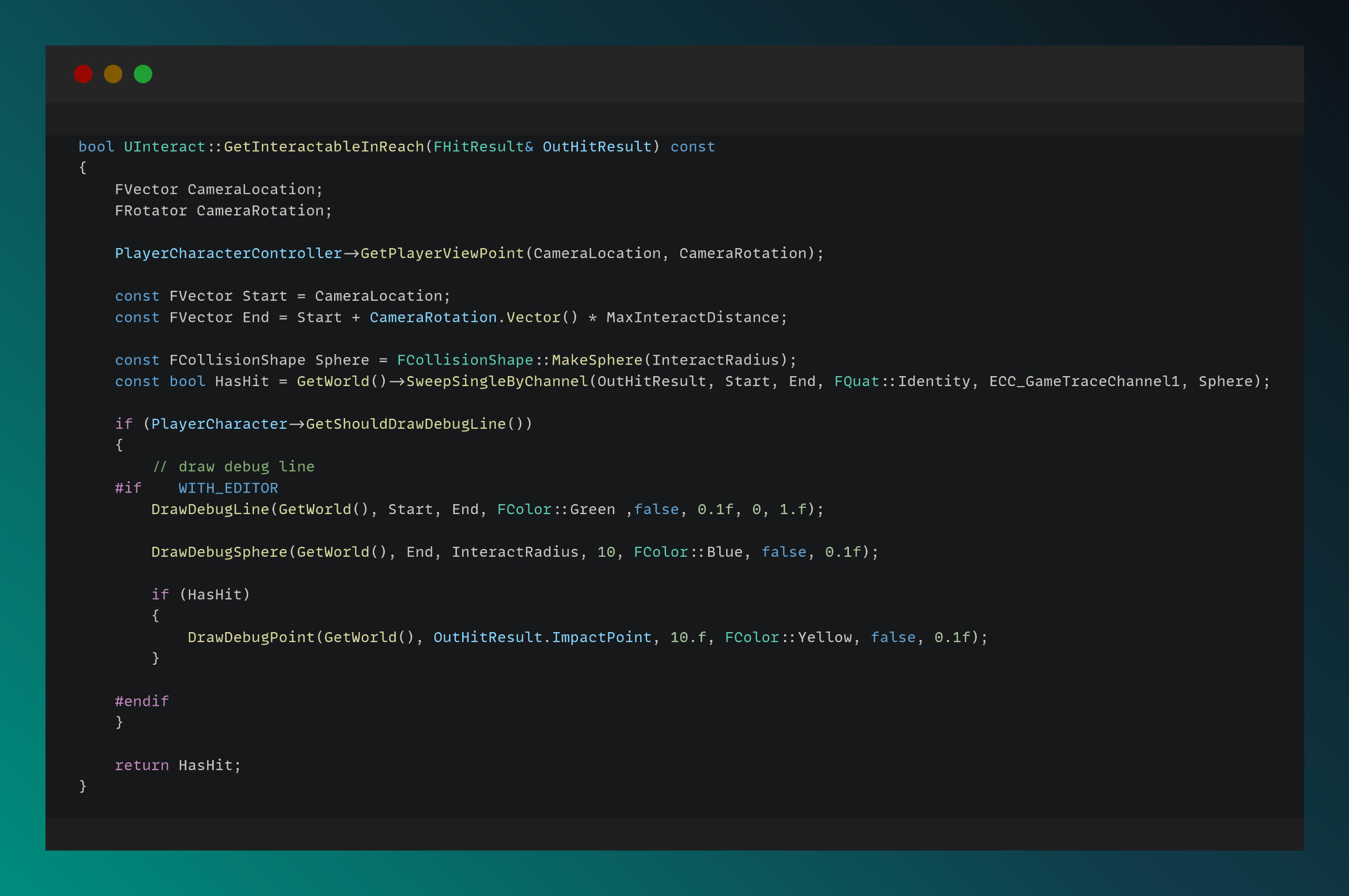
In the function below, I determine whether an object can be interacted with by using tracing.
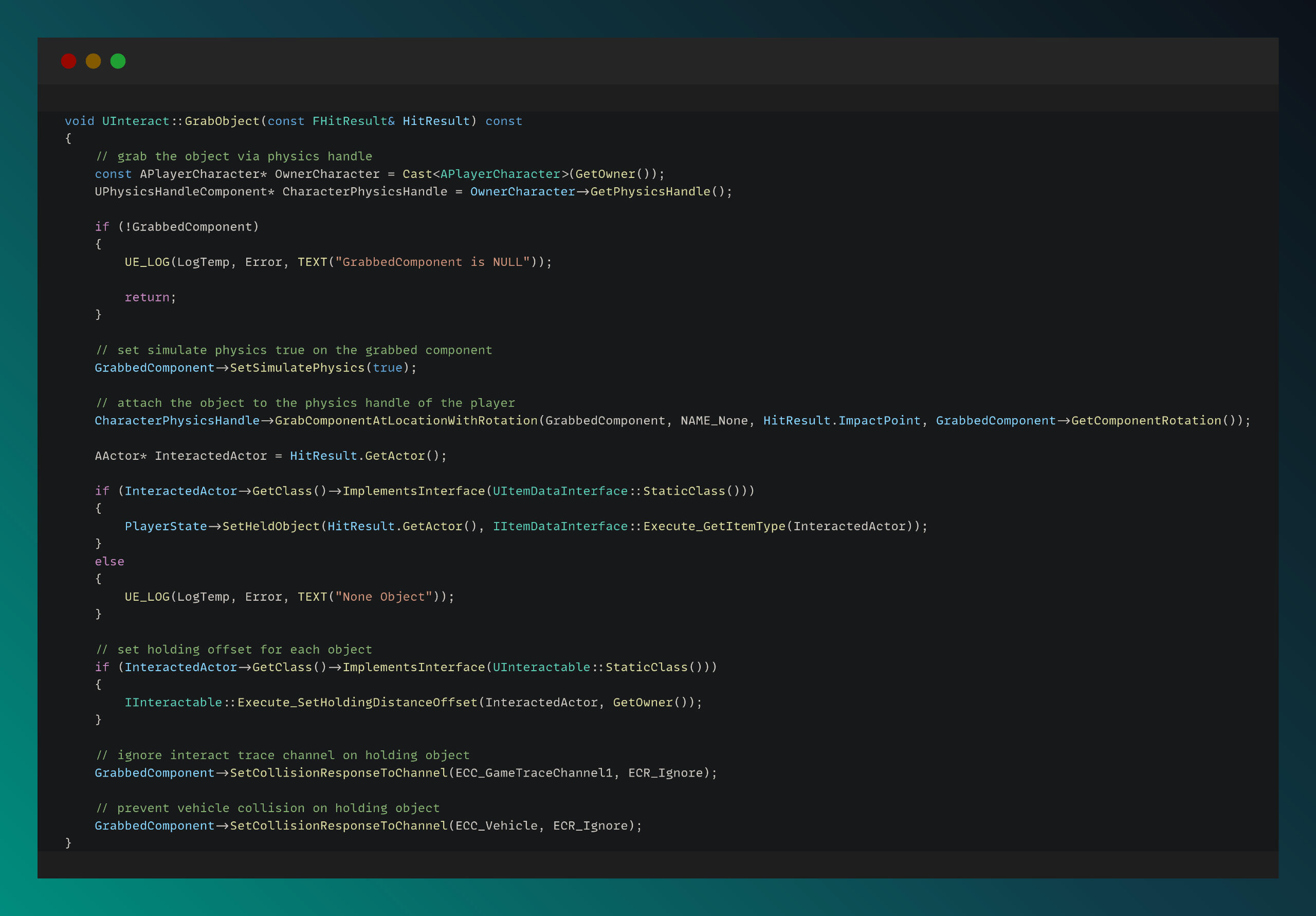
In the functions below, I manage the grabbing and dropping functionality by accessing and manipulating the physics system.
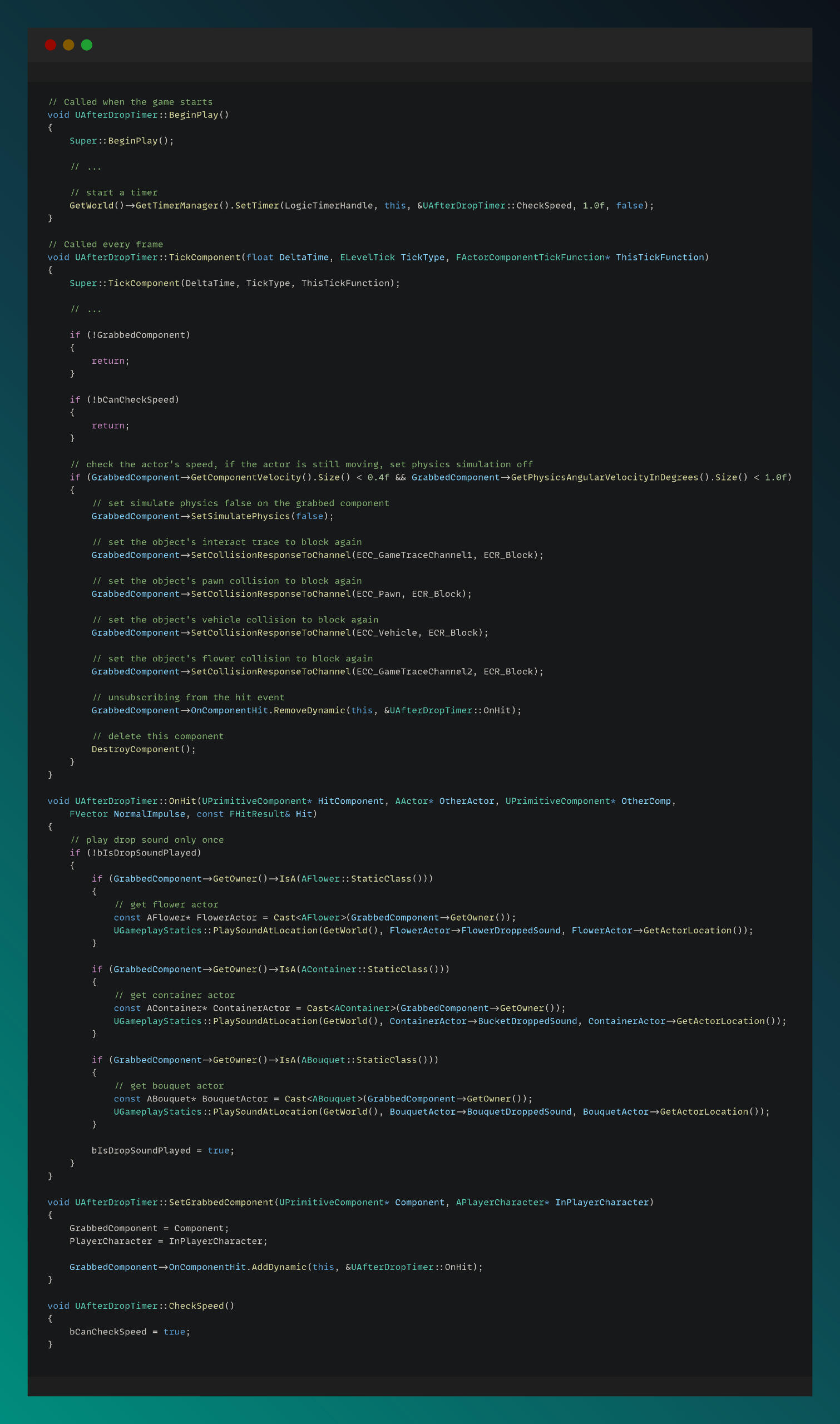
I implemented a unique post-drop timer feature that checks whether a dropped object has come to rest, and then re-locks its physics accordingly.
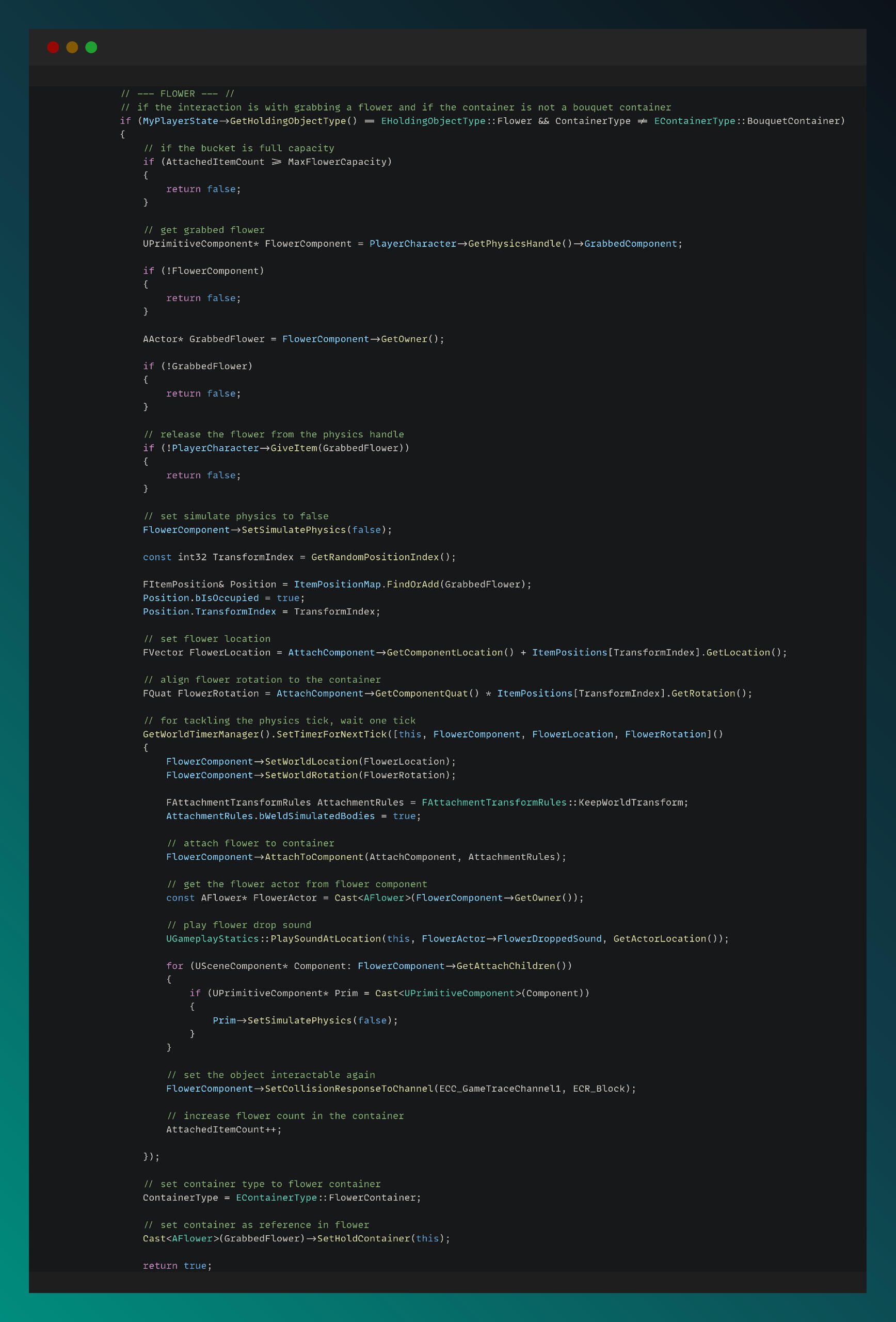
An example of the interaction system implementation in an object is shown below:
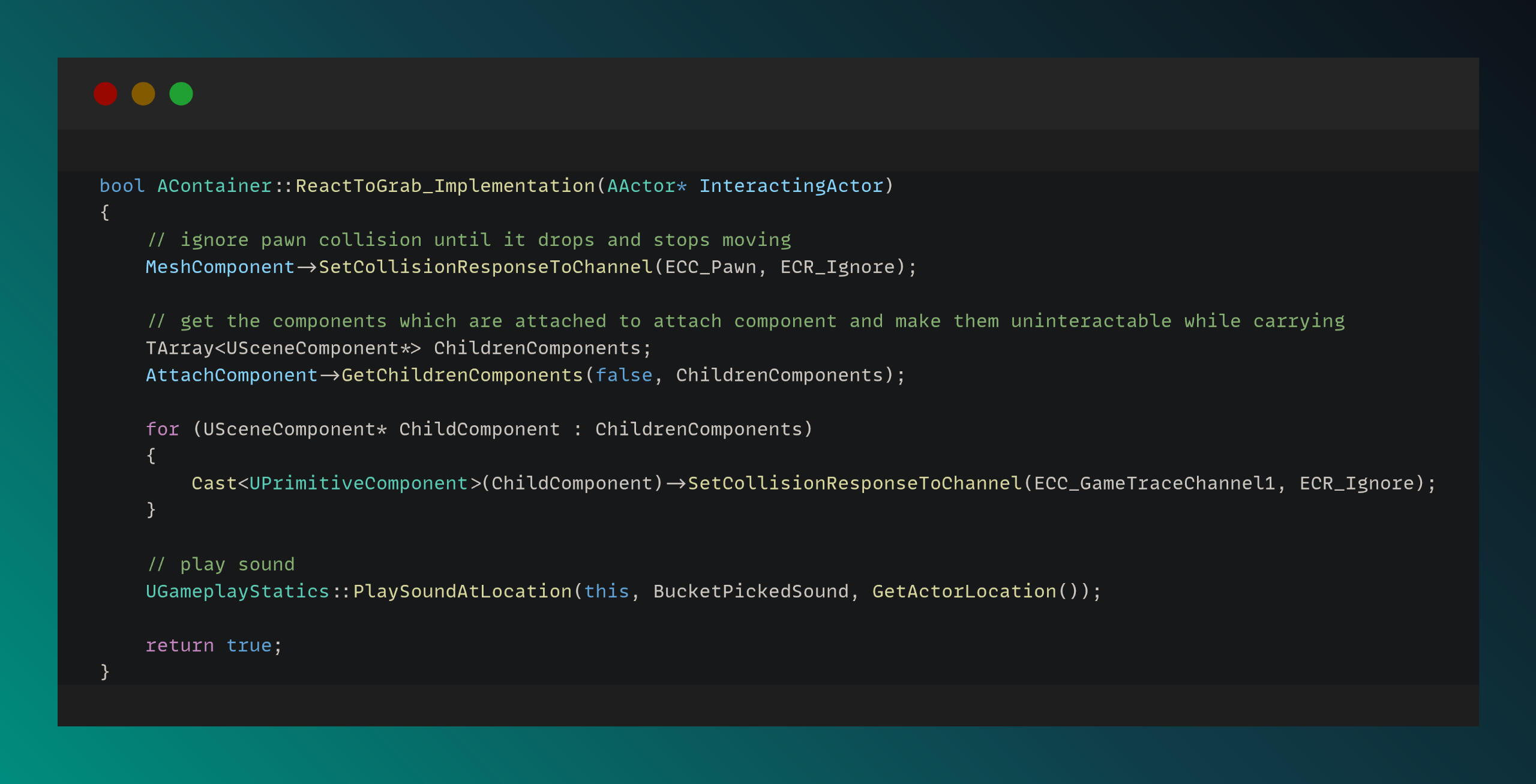
An example of the grabbing system implementation in an object is shown below:
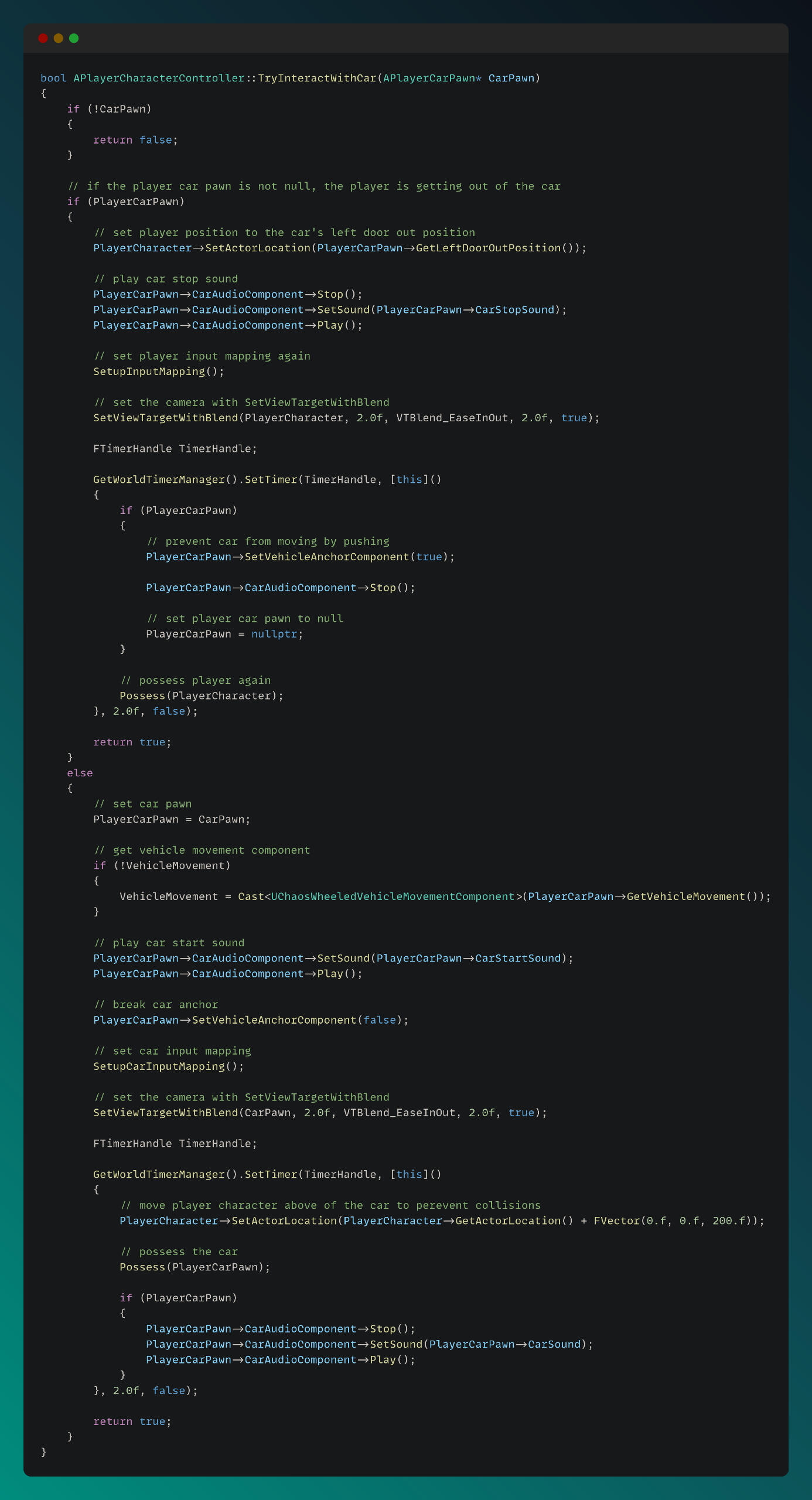
Player - Truck Controller
One of the biggest challenges in the project was ensuring a smooth controller transition from the player pawn to the truck pawn. The function below demonstrates this transition:
Customer System & AI
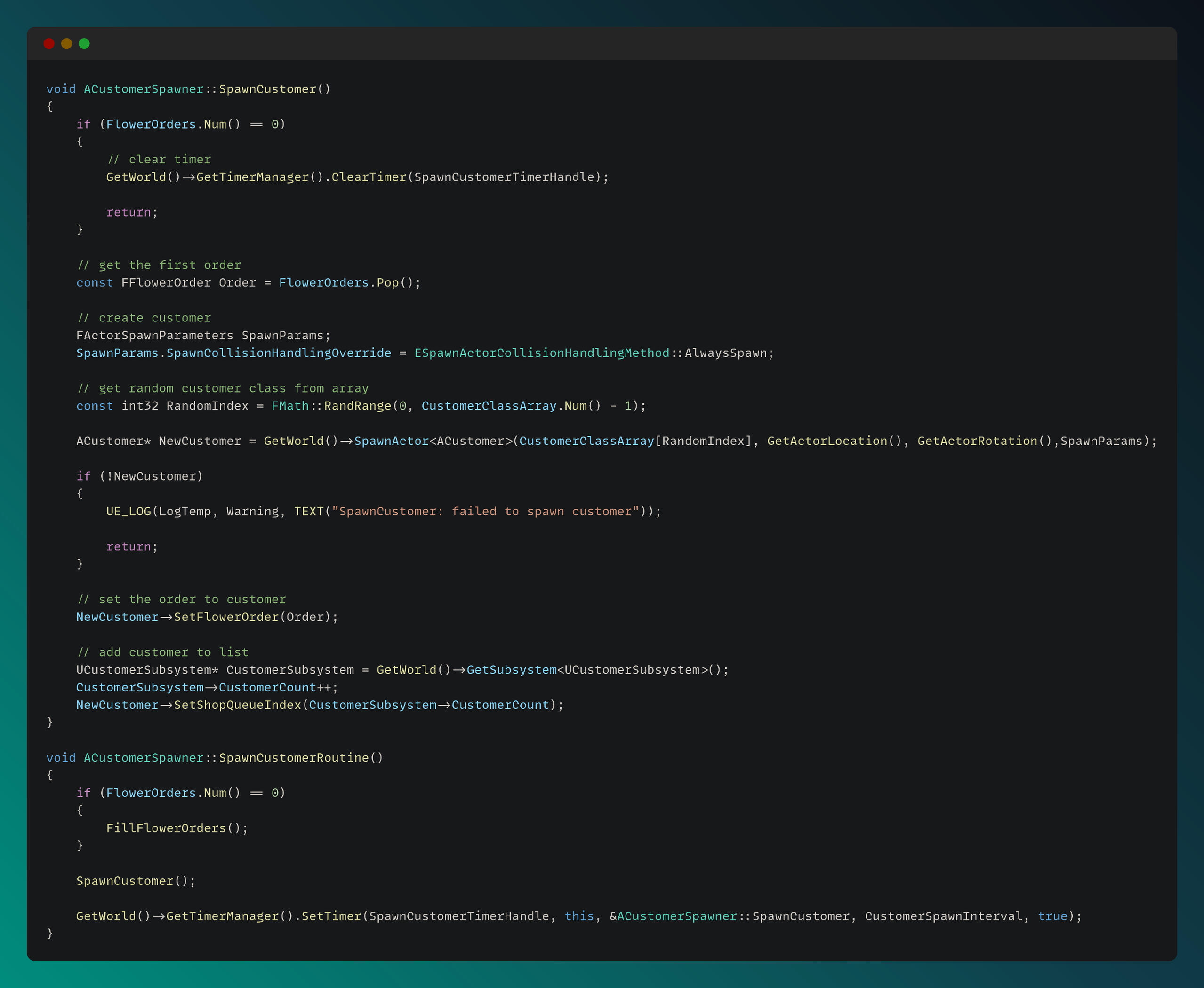
For spawning customers, I created a dedicated customer spawner actor and implemented the spawning functionality within its class. The SpawnCustomer and SpawnCustomerRoutine functions can be seen in the code below:
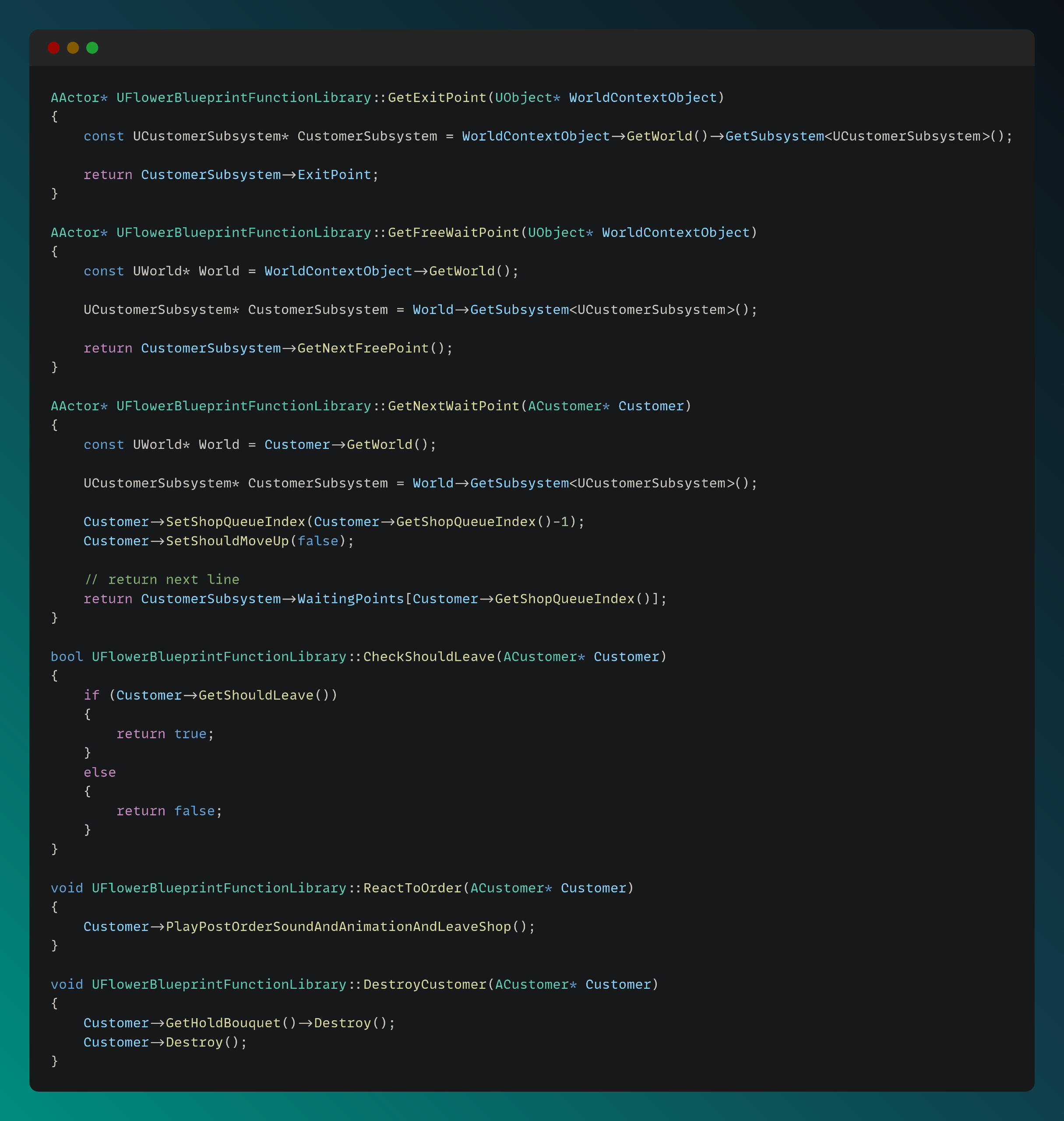
For customer AI, I utilized Unreal Engine’s built-in Behavior Tree system and additionally created a blueprint function library and custom C++ functions to handle related tasks, as shown below:
The Fire City
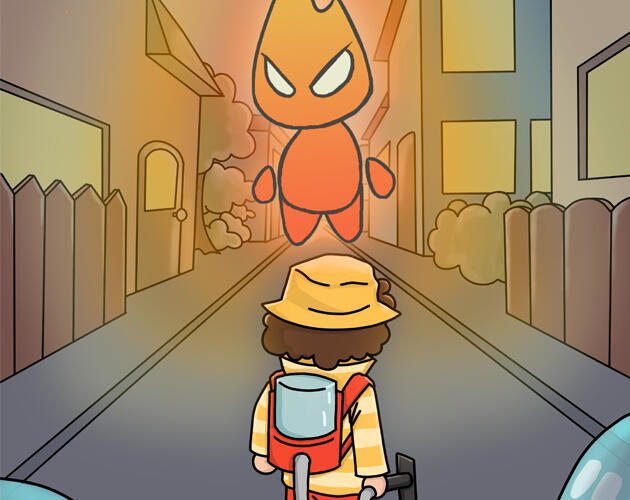
Project ResponsibilitiesThe Fire City – 3 Week Team Project at FuturegamesRole: Game Programmer (AI & Systems)
Game Engine: UnityIn this project, I was mainly responsible for creating the enemy behavioral AI and pathfinding systems. I built a custom behavior tree system from scratch and used it to handle different types of enemy behavior. I also worked on the enemy combat mechanics and helped design how enemies interact with players during fights.Another big part of my work was building conditional state systems for building, like when they’re burning or slimed, so they could change states dynamically during gameplay. On top of that, I handled a lot of the general game logic tying everything together.Besides the core systems, I also supported my teammates by helping with UI and sound implementation when needed. It was a fast-paced, intense project, and I enjoyed collaborating with the team and bringing everything to life.
Technical explanations and code snippets of some implementations can be found below:
Here are some videos showcasing my contributions to the project:
Building Burning Slimed States Logic, Enemy Systems & AI
Building Burning Slimed States Logic, Enemy Systems & AI
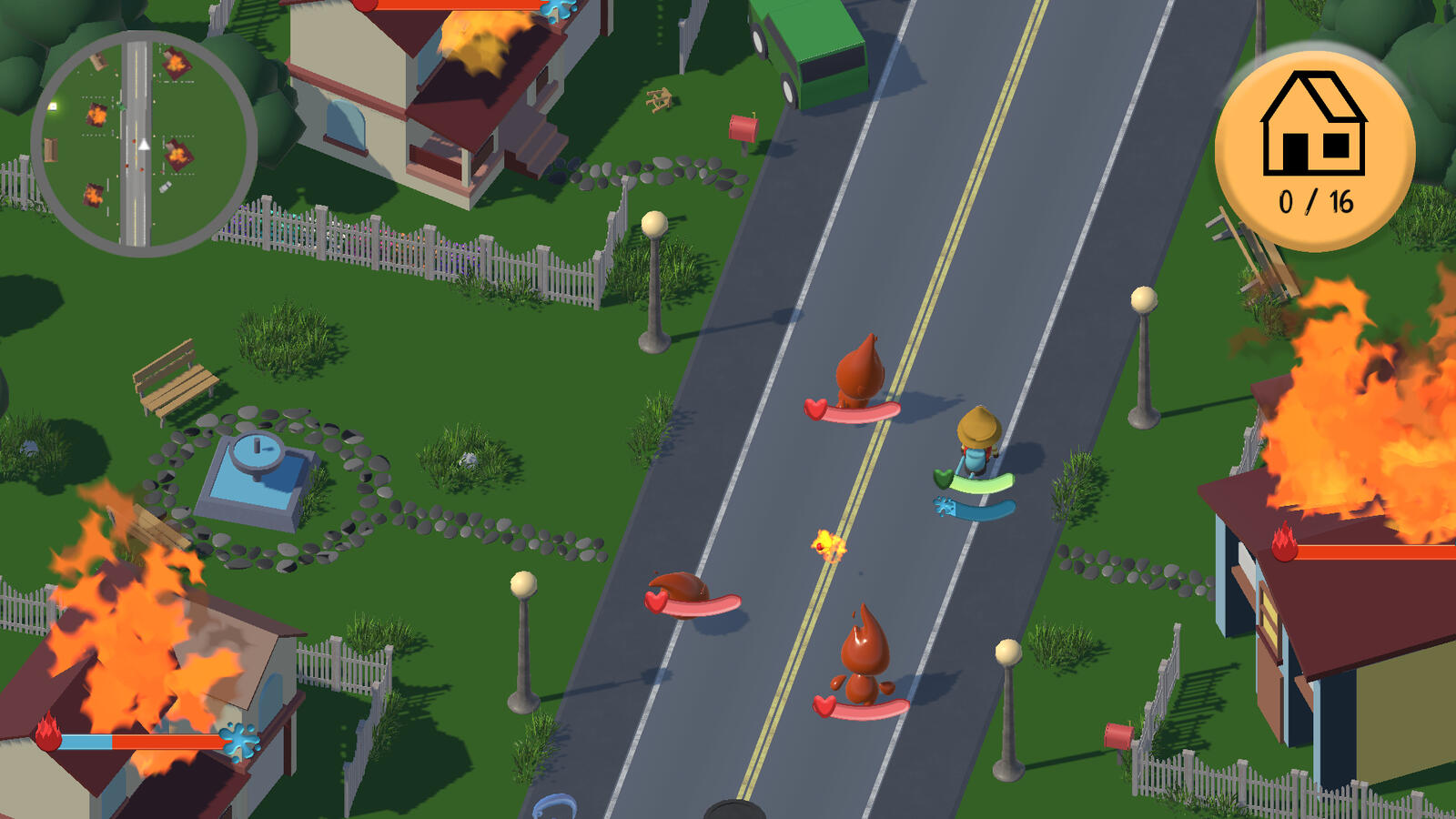
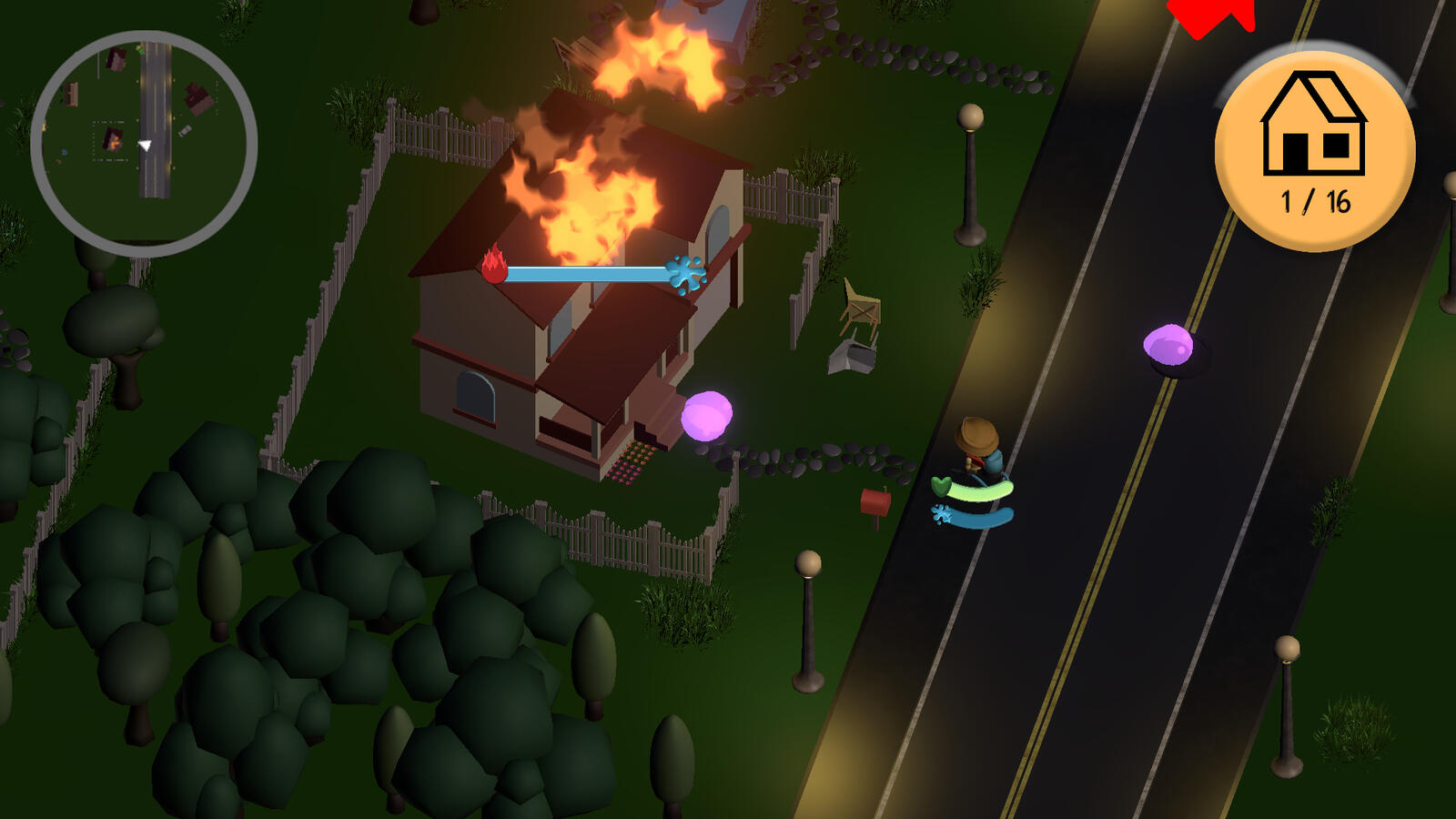
Game Logic, Building System
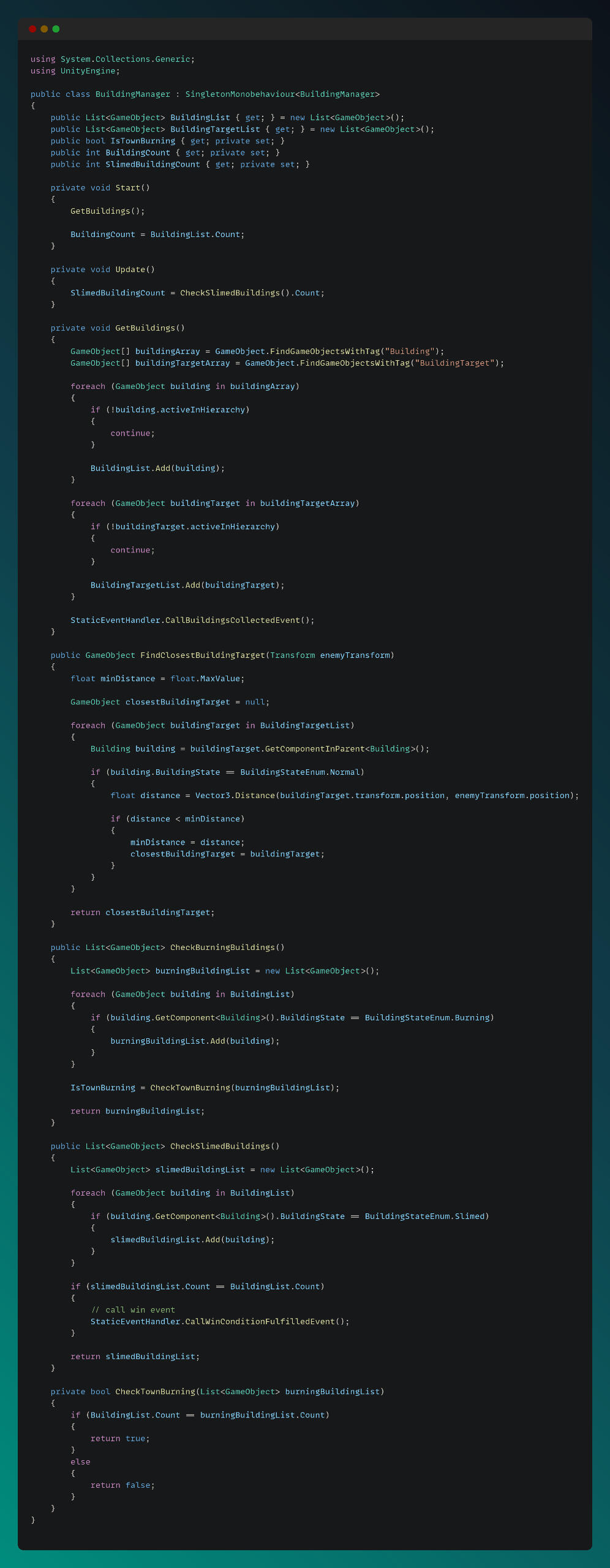
I developed a Building Manager that tracks the slimed and burning states of buildings. It communicates with a custom-built Event System I designed, which publishes the win condition event when all criteria are met.
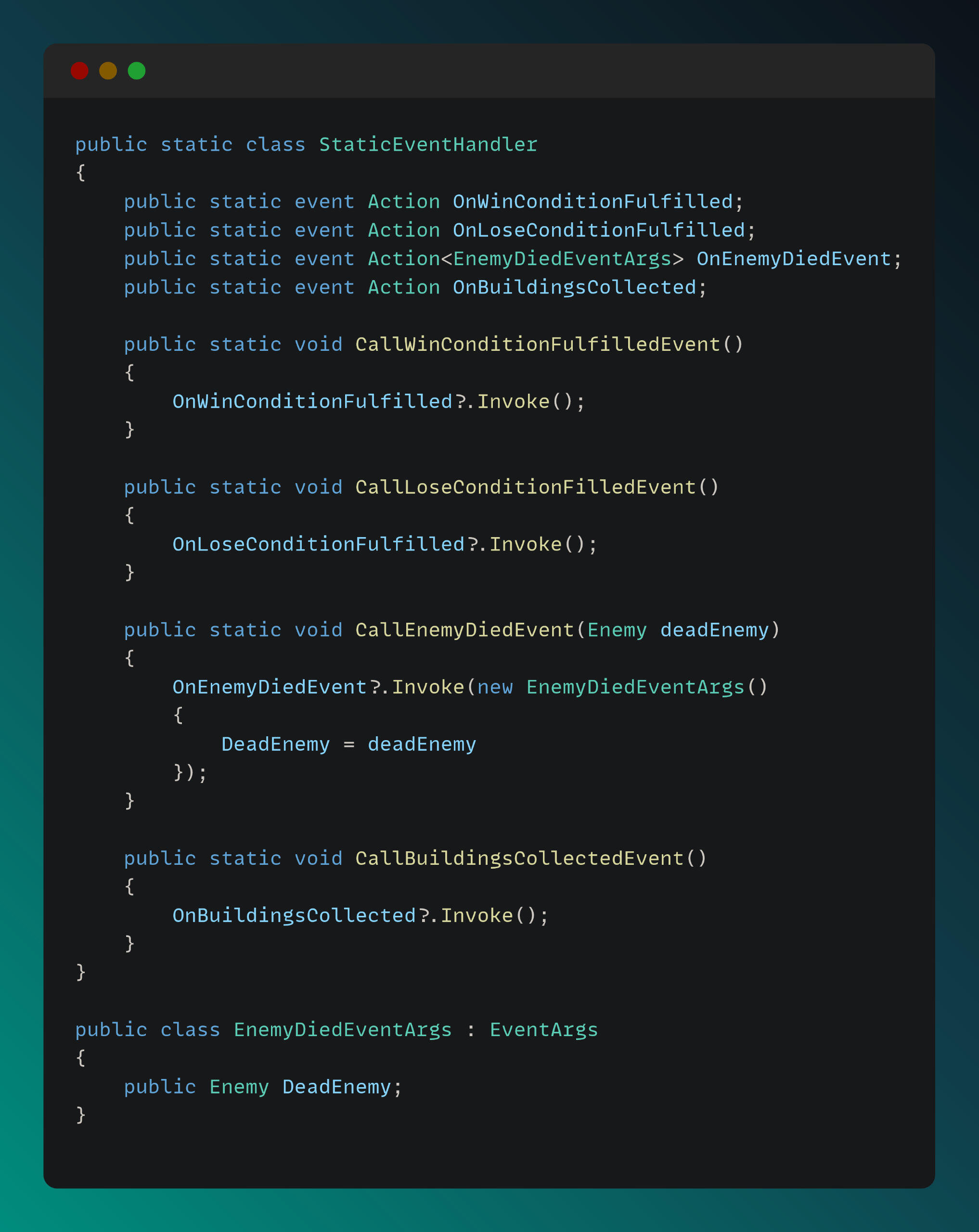
A static event handler was implemented to support the publish–subscribe pattern, ensuring a clean and SOLID architecture.
Enemy Systems and AI
I implemented an Enemy Manager to handle enemy related events and spawning. The spawn logic is demonstrated in the snippet below.
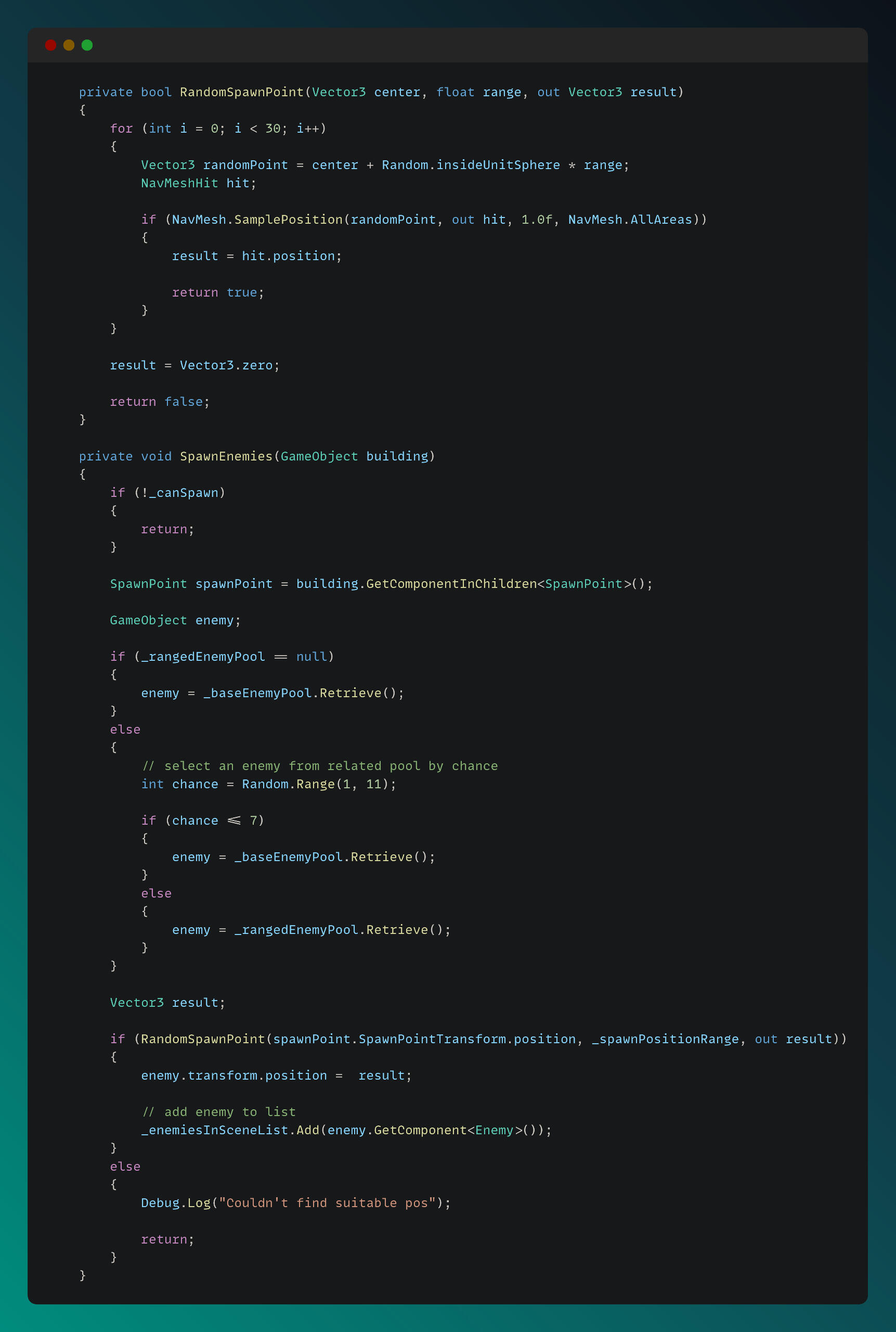
The Enemy Movement script, shown below, includes the methods passed to the Behavior Tree to handle AI movement and reactions.
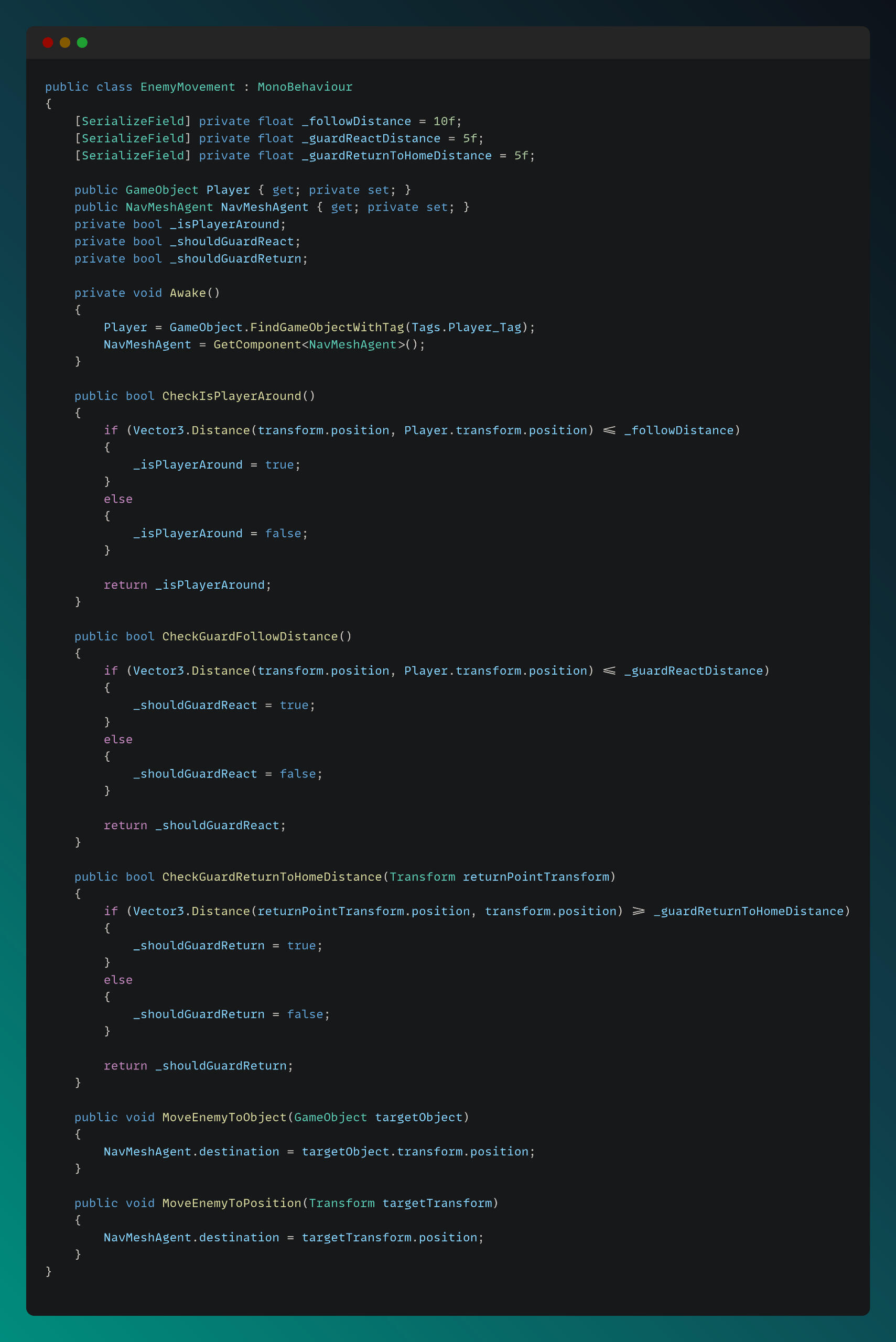
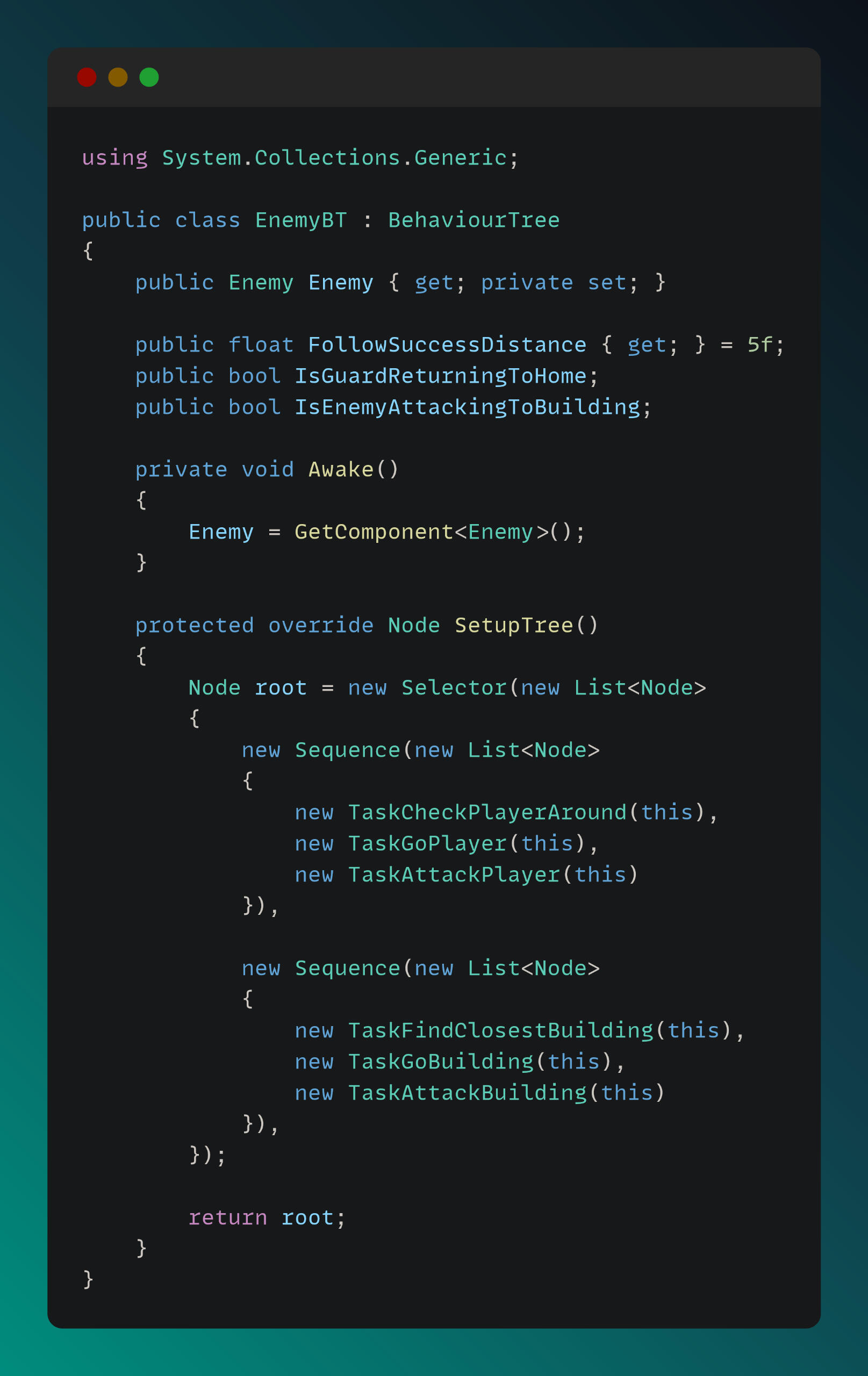
Enemy AI logic is driven by a Behavior Tree system. I designed and implemented the Behavior Tree and its tasks to meet the gameplay requirements. The EnemyBT script is shown below.
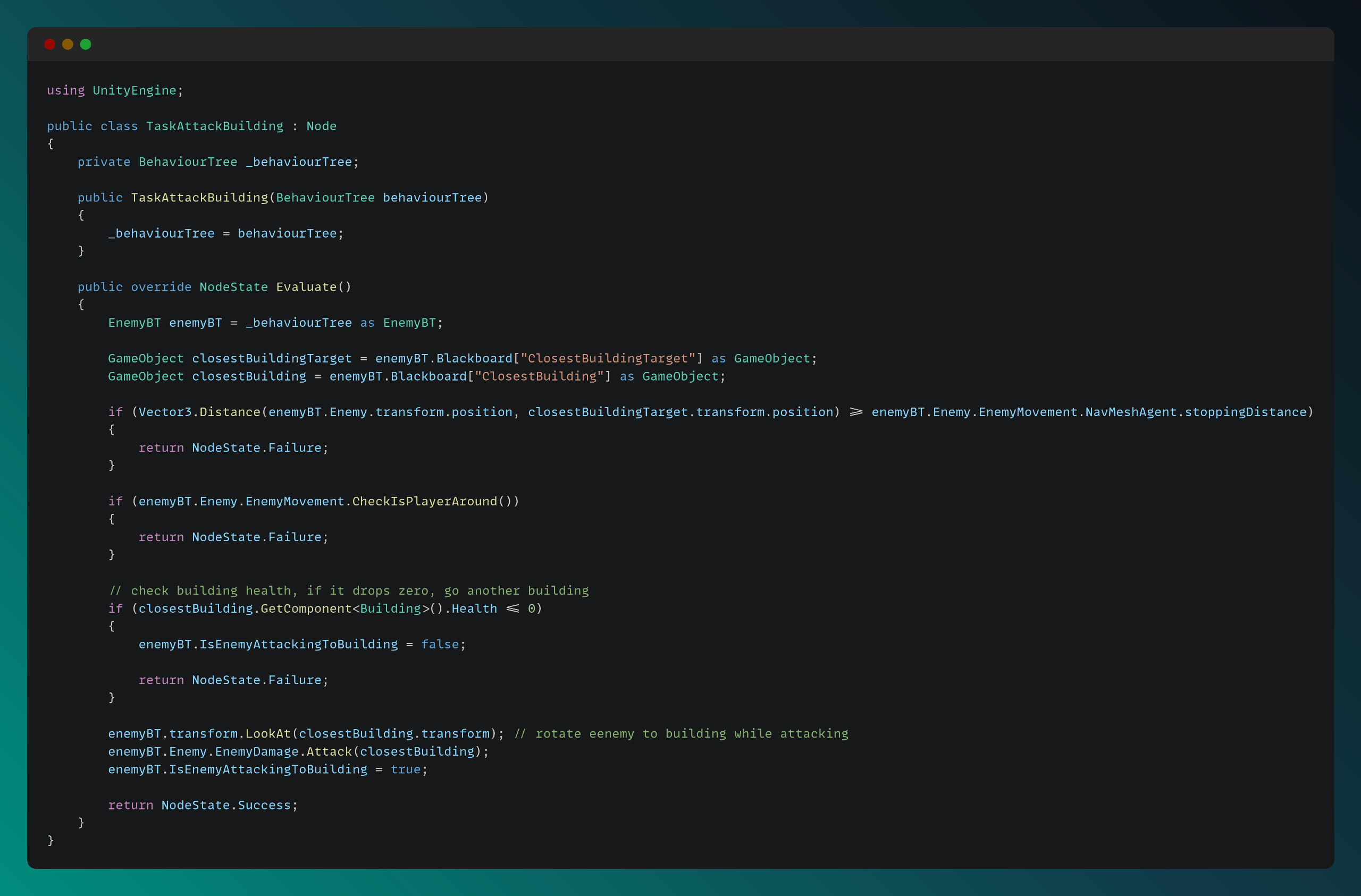
An example of an enemy task script can be seen below.
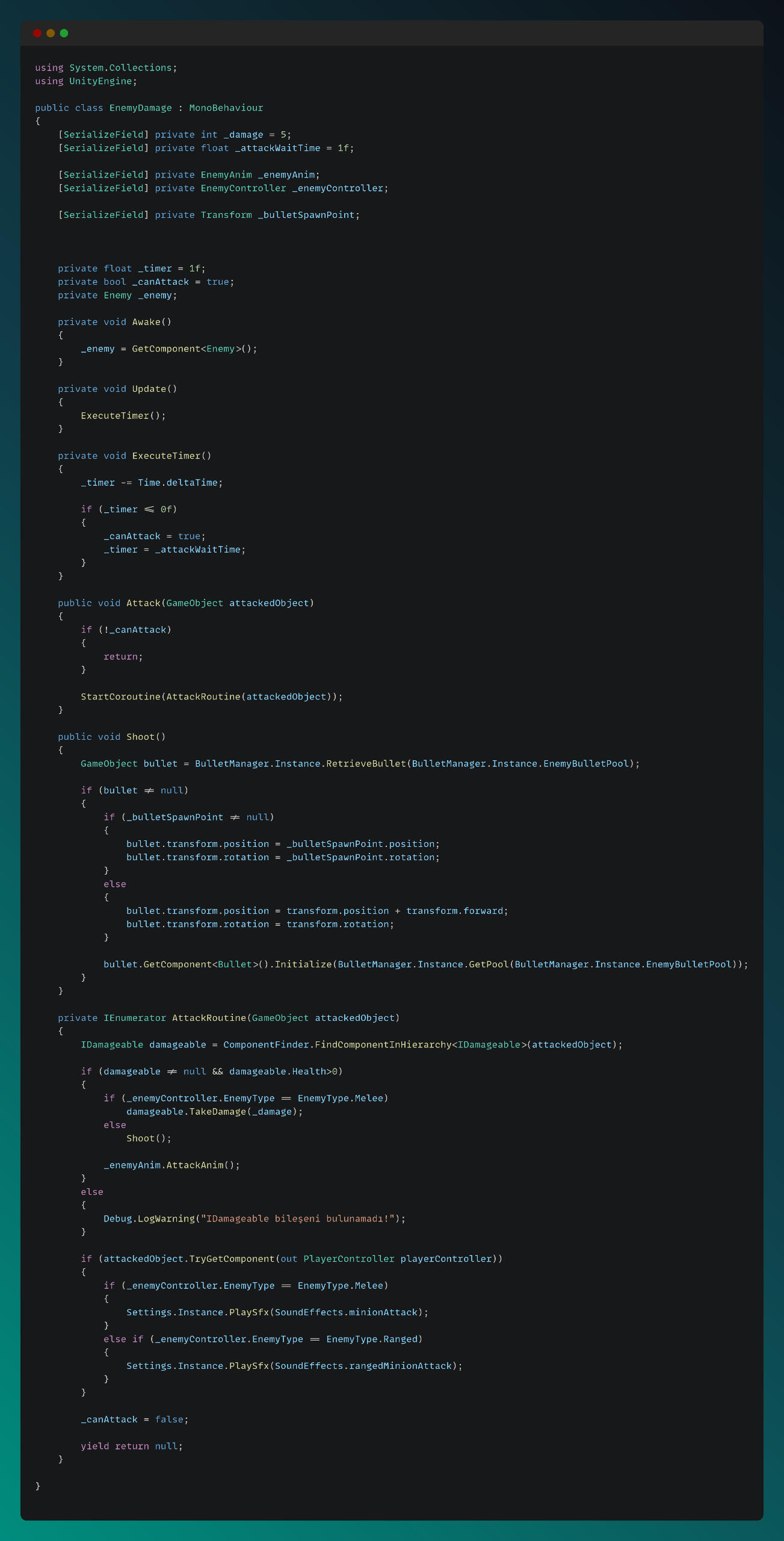
The Enemy Damage logic was implemented to provide the necessary functionality for each enemy type.
The Price of Sanity

Project ResponsibilitiesThe Price of Sanity – 4 Week Team Project at FuturegamesRole: Combat/AI Programmer
Game Engine: UnityIn this project, I focused on crafting a variety of enemies in a Tower Defense style combat setup. I built systems that let each enemy type behave uniquely, choosing paths, reacting to towers, and coordinating attacks.I also implemented the core damage and health mechanics used by both enemies and defensive structures, ensuring combat felt tight and responsive. On top of that, I stepped in as a technical advisor for the design team, helping scope features so we could hit our goals in the tight four-week schedule.It was a fun to work side-by-side with team and seeing our combat systems come together under the clock.
Technical explanations and code snippets of some implementations can be found below:
Here are some videos showcasing my contributions to the project:
Enemy AI and Damage - Health Systems
Enemy AI System
I developed the unique AI behaviors for enemy types in this game. Each enemy has its own tasks, with distinct behavior, movement, and attack features.You can see each enemy's behaviour tree scripts below.
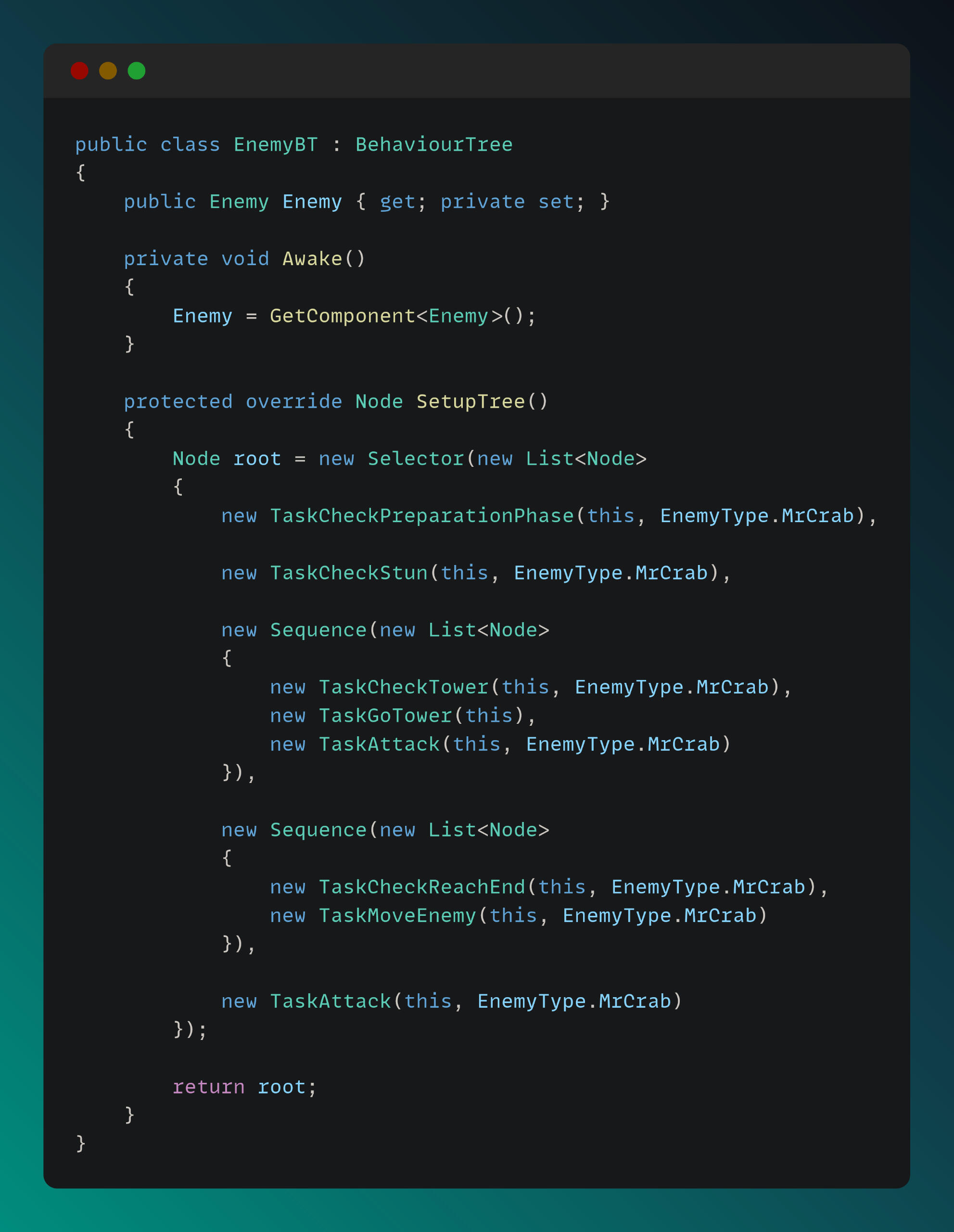
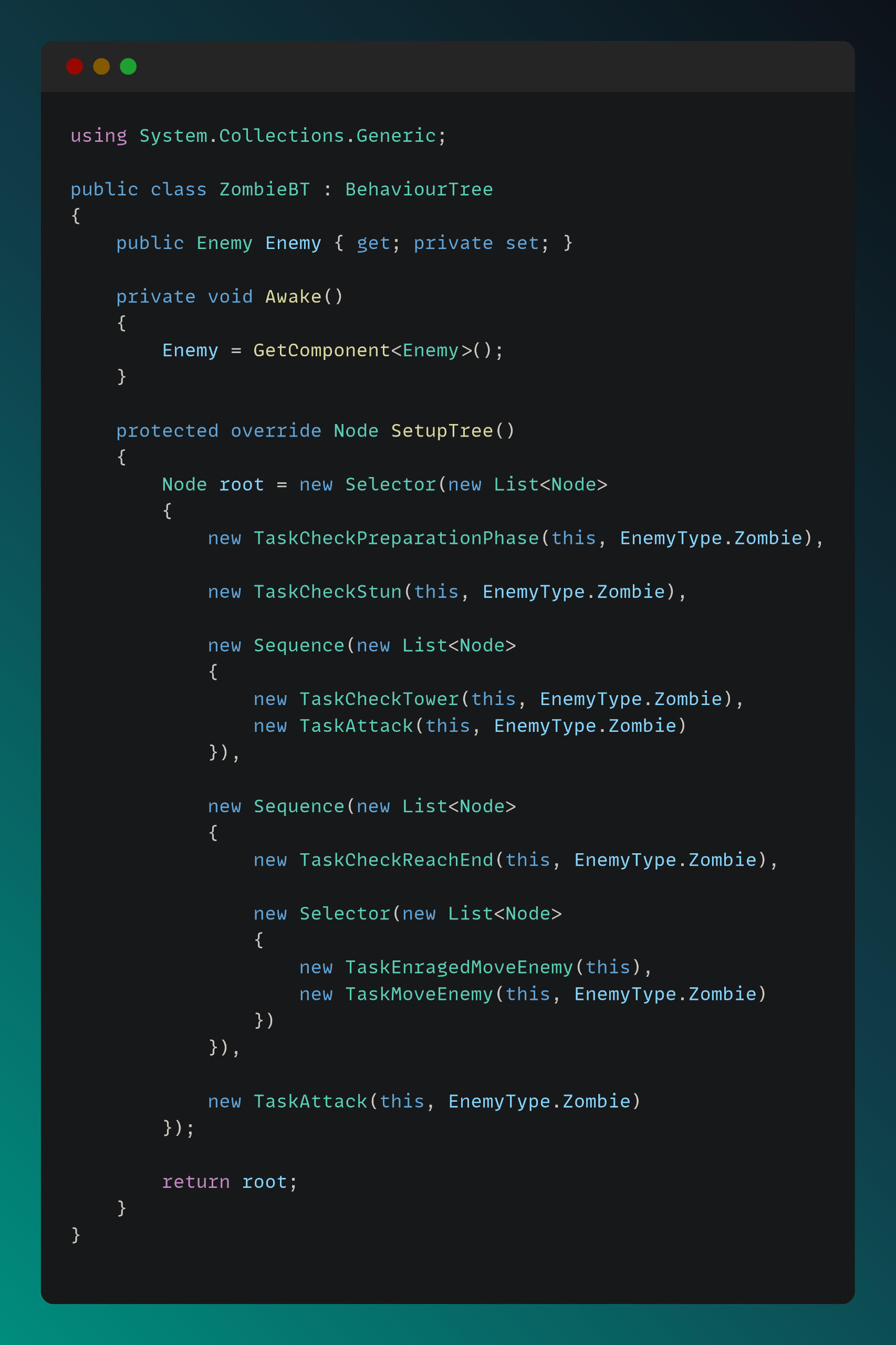
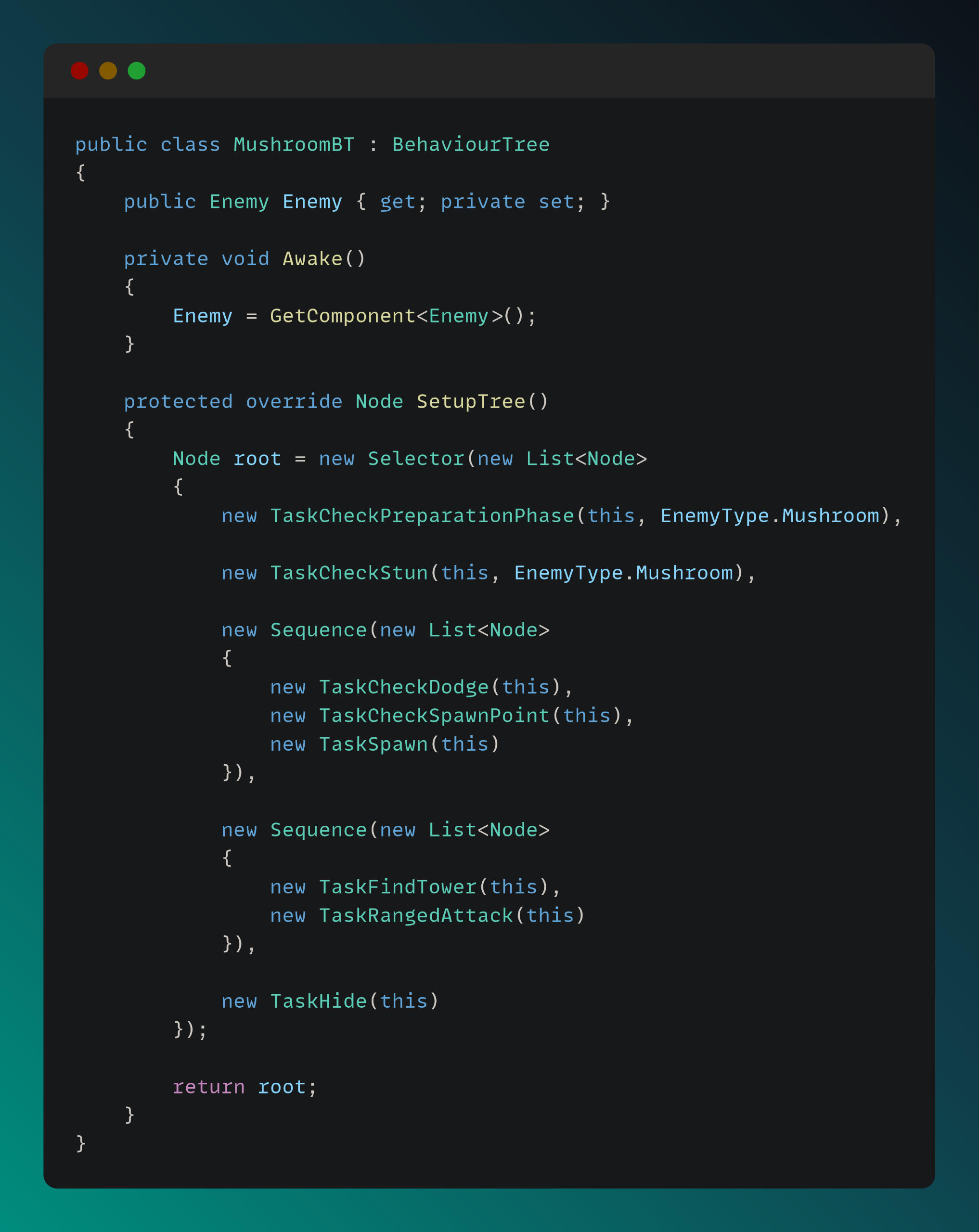
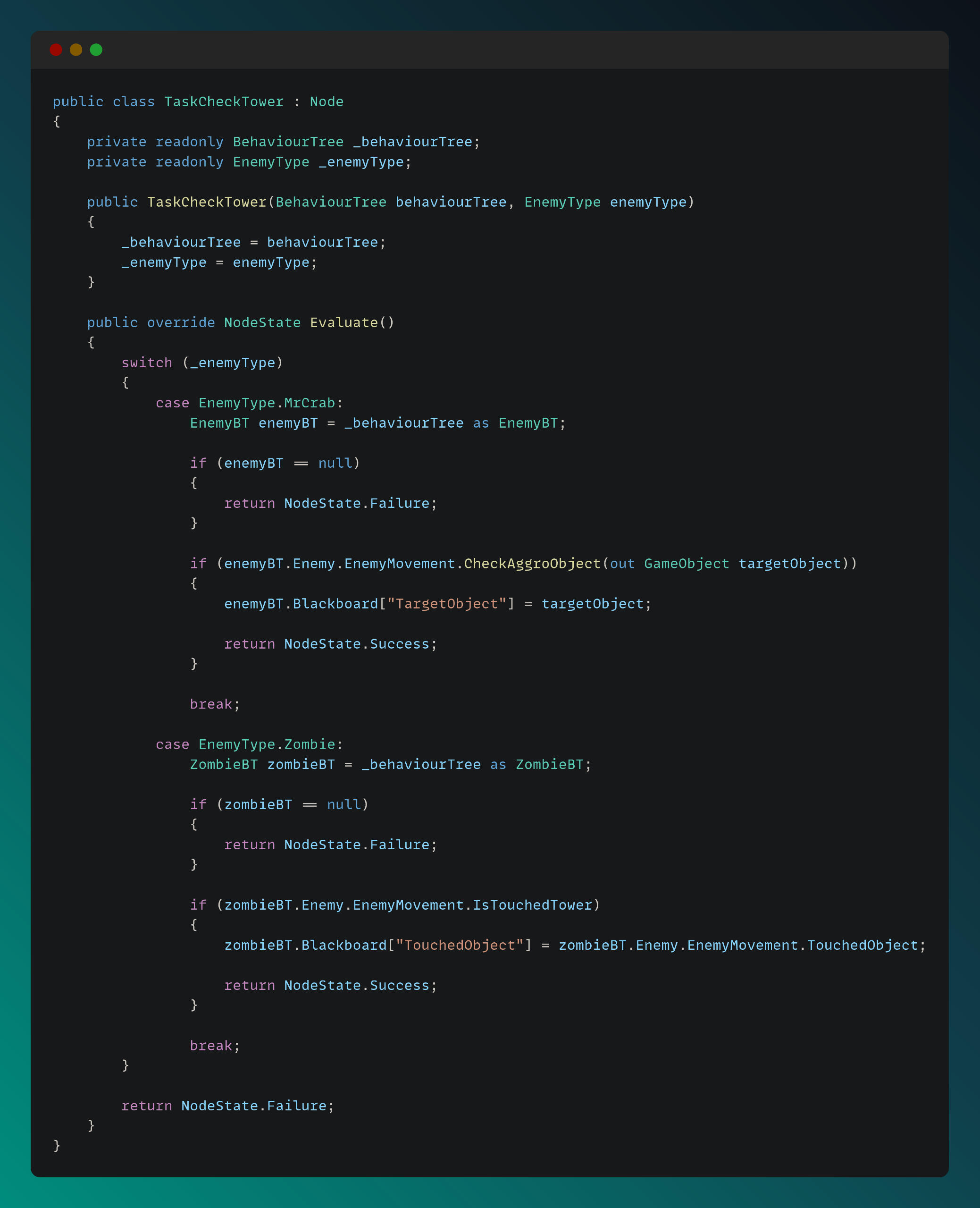
Some AI task scripts are shown below. For example, in the Check Tower task, each enemy that receives this task behaves differently.
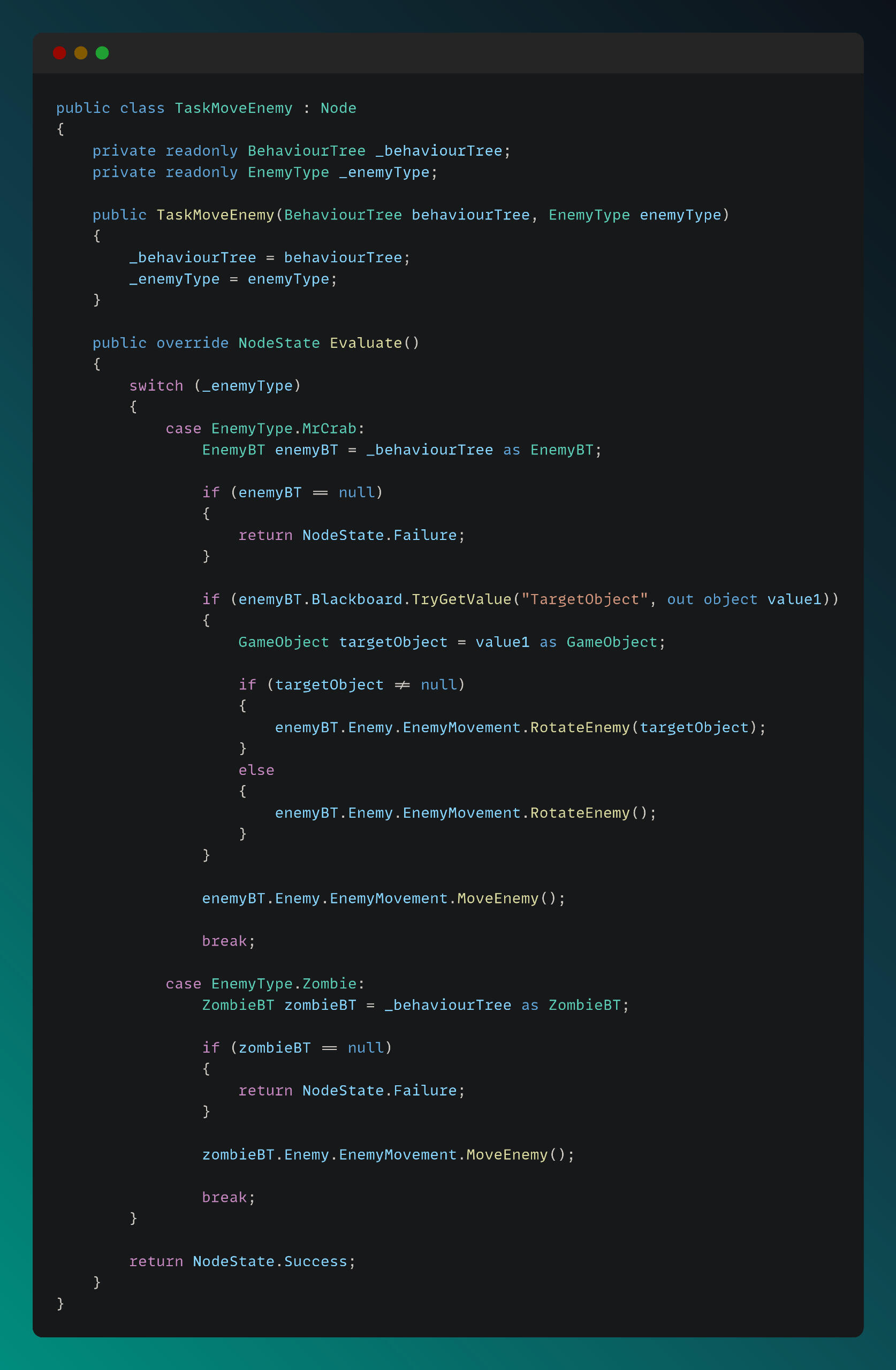
The task code below shows the Enemy Move task. Since the two movable enemies have different movement characteristics, I designed this task to handle both enemy types.
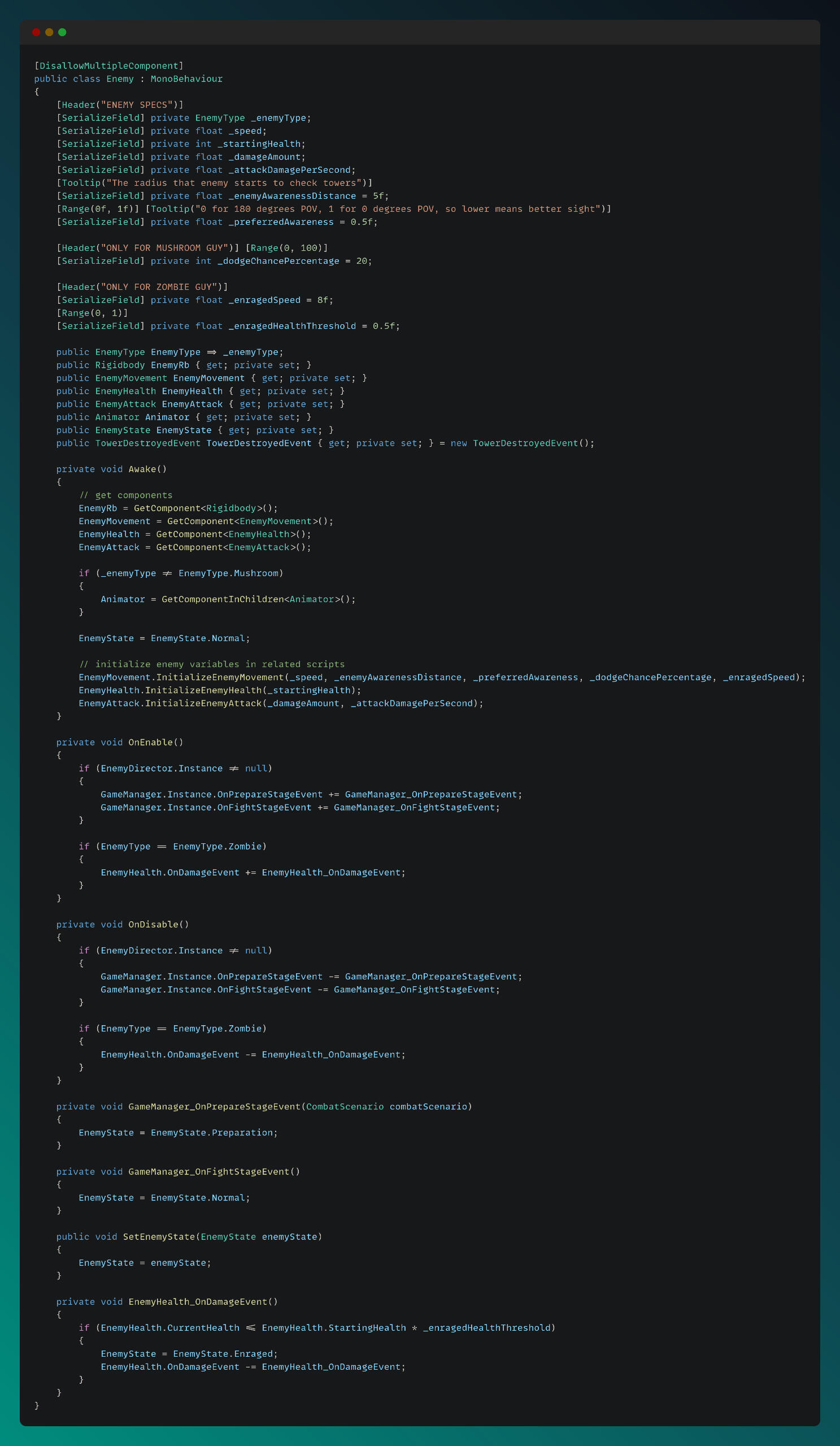
Enemy Core Systems
I separated each enemy’s core systems into different scripts and used the main Enemy script as an interface for them. The main Enemy script is shown below:
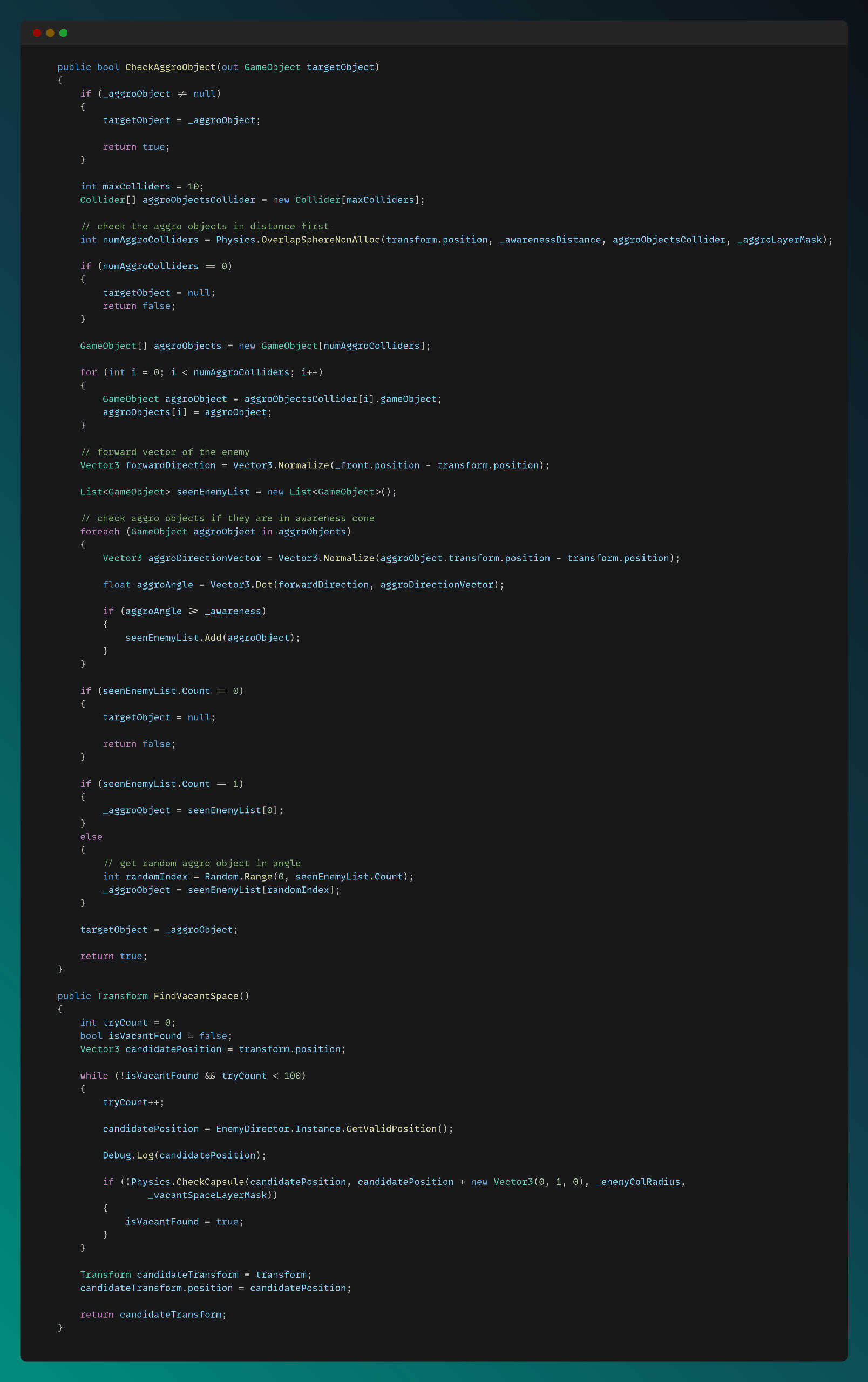
The enemy movement script handles functionalities that can be used across different tasks. I implemented a unique sight cone for enemies using dot product calculations. Two methods, finding the aggro object and finding vacant space, are shown below:
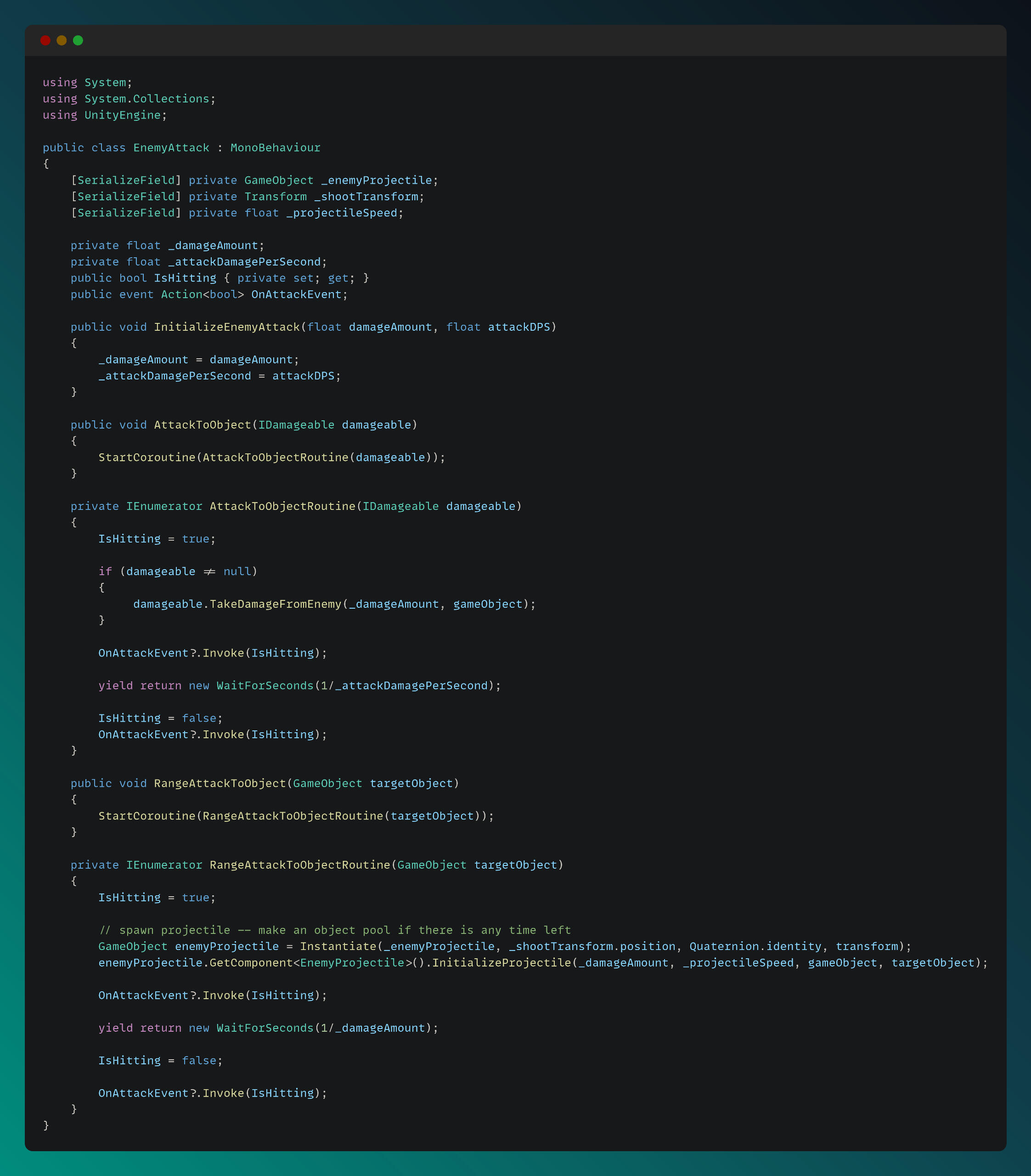
Below is the Enemy Attack script, which handles both melee and ranged attacks:
Village Simulation
Solo ProjectGame Engine: UnityThis project is a fully automated, procedurally generated village simulation designed to showcase my expertise in grid system, generation algorithms, behavioral AI, pathfinding and inventory system. I’m continuously iterating on it to refine the systems and expand its complexity.I implemented an A* algorithm for the pathfinding system and built a customizable behavior tree framework with specialized tasks for each type of villager. To determine optimal locations for stockpiles, workshops, and buildings, I developed an influence map system tailored to the simulation’s needs. My goal was to create a strong and expandable foundation that supports increasing complexity and emergent simulation showcase.
Technical explanations and code snippets of some implementations can be found below:
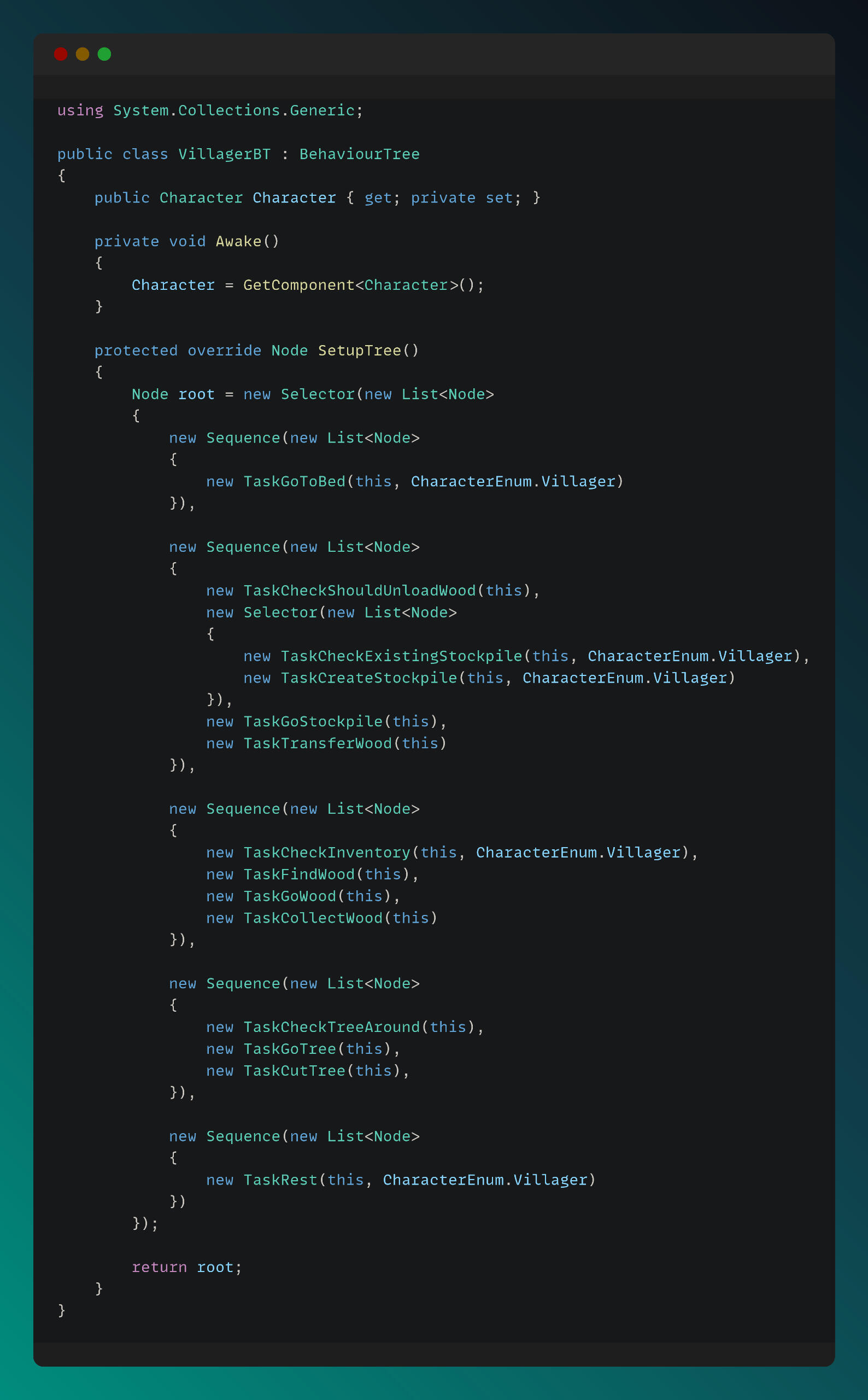
Behavior Tree Structure of Villager Character
The behavior tree is structured for each character type for handling complex AI tasks and decisions. For the tasks that can be done by differect characters, I am sending the required Character Type enum as a parameter in the constructor.
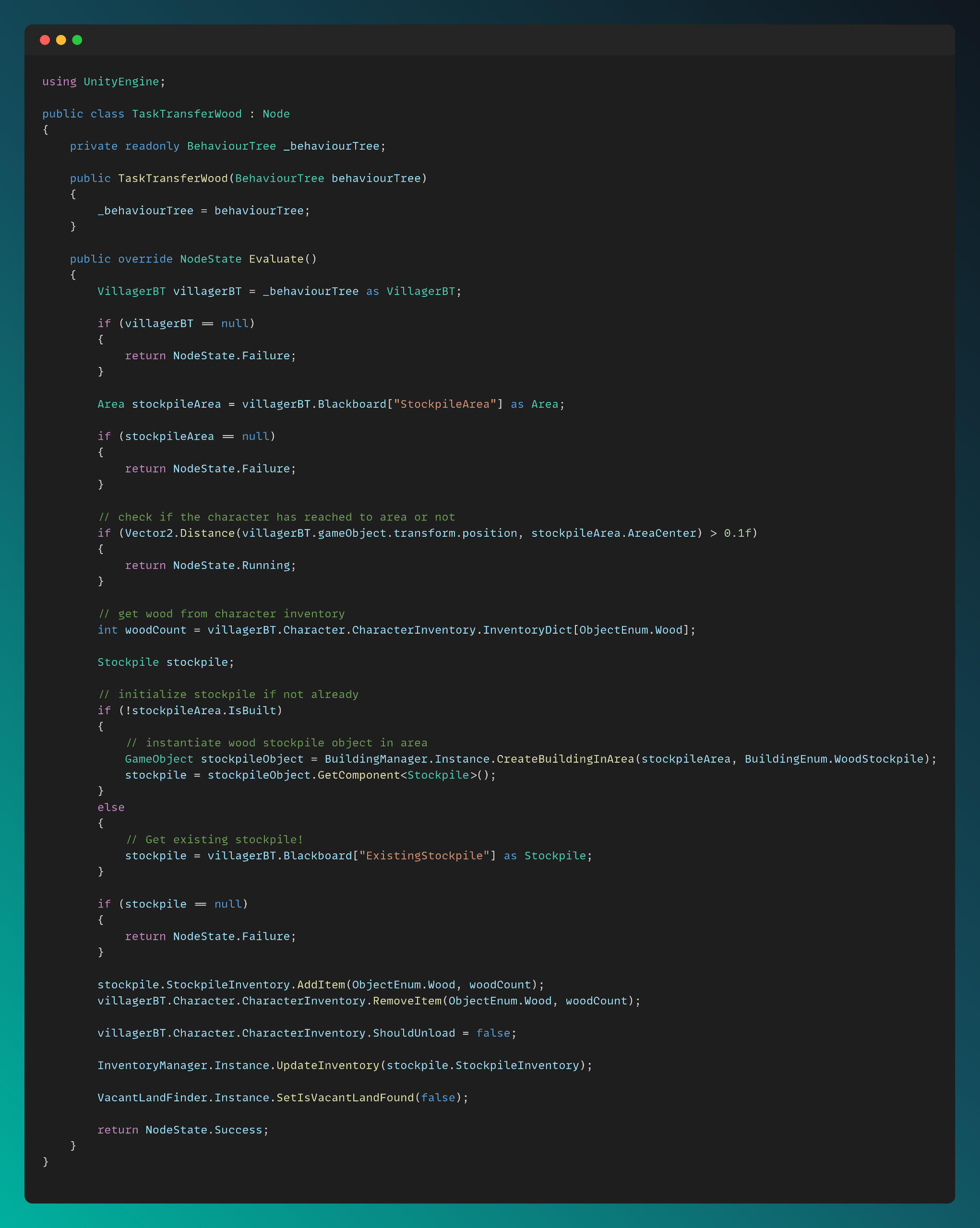
Transfer Wood Task for Villager Character
I am managing the flow of the tasks for each character type in the Evaluate method. Transfer Wood Task is executed by Villager BT only, so I only evaluate it for Villager Character.
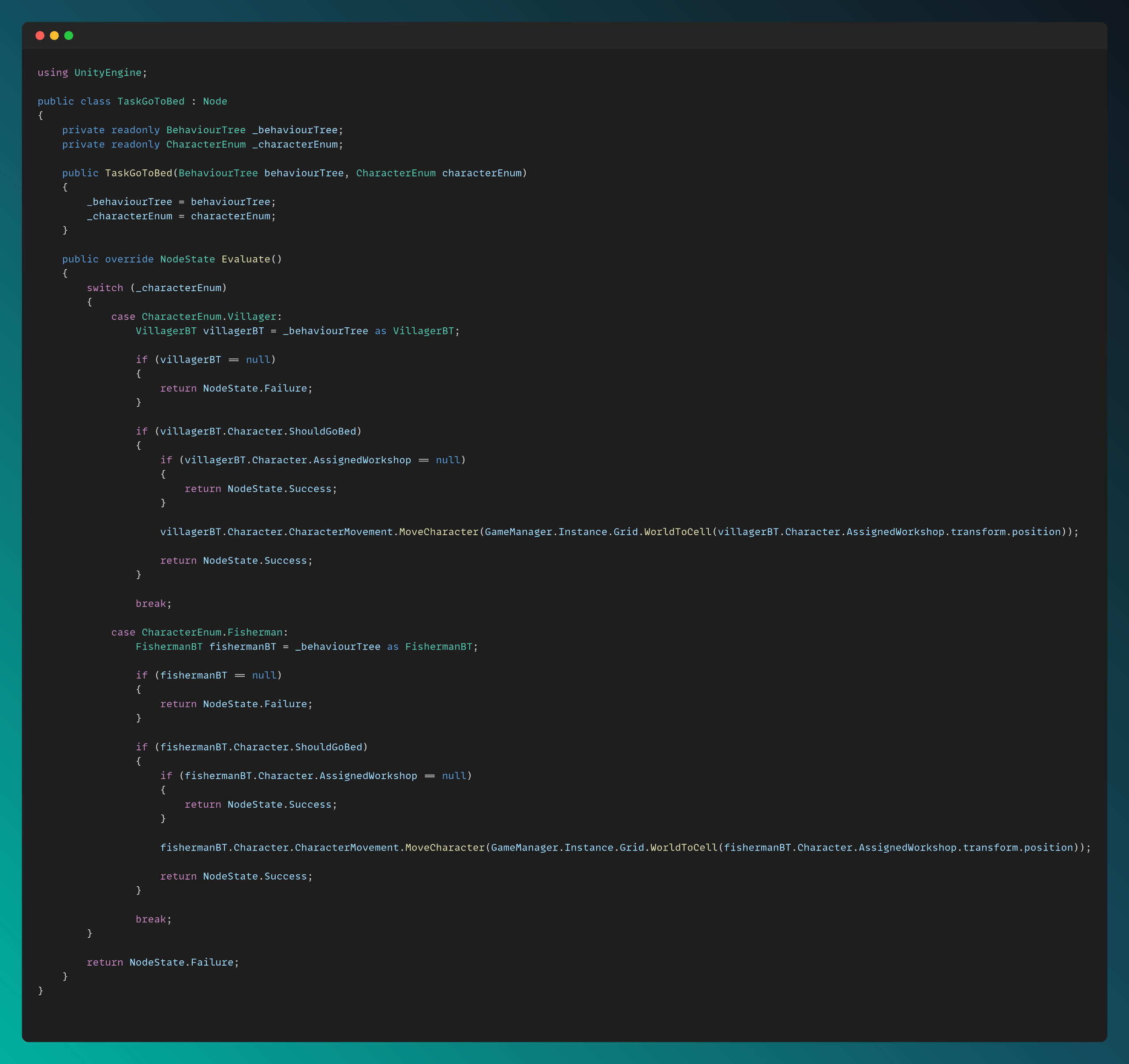
Go to Bed Task for Each Character Type
This script is an example for evulating a task for different Character Types.
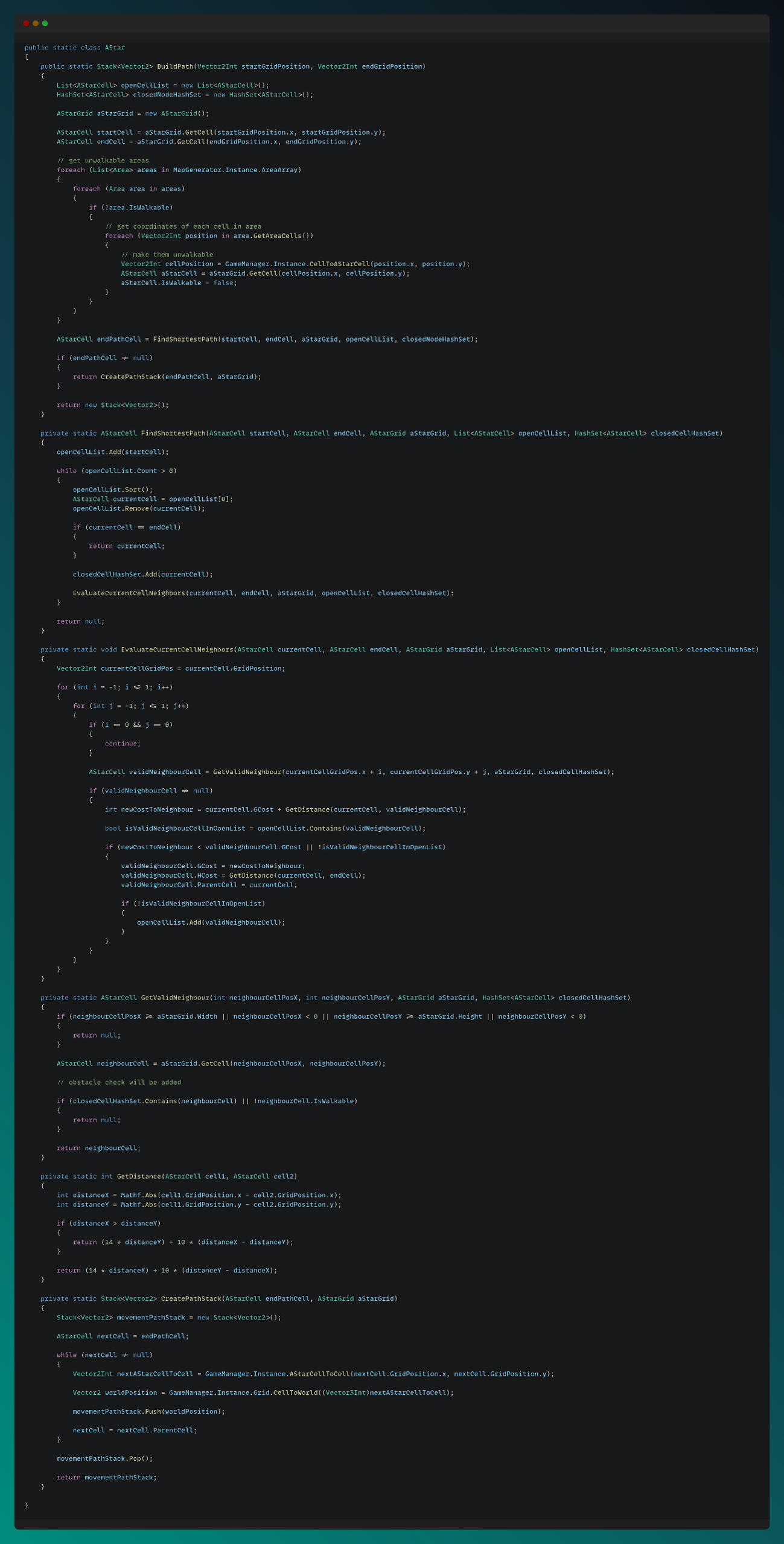
A* Pathfinding
This script is an example for implementing the A* Pathfinding algorithm in my custom made grid system.
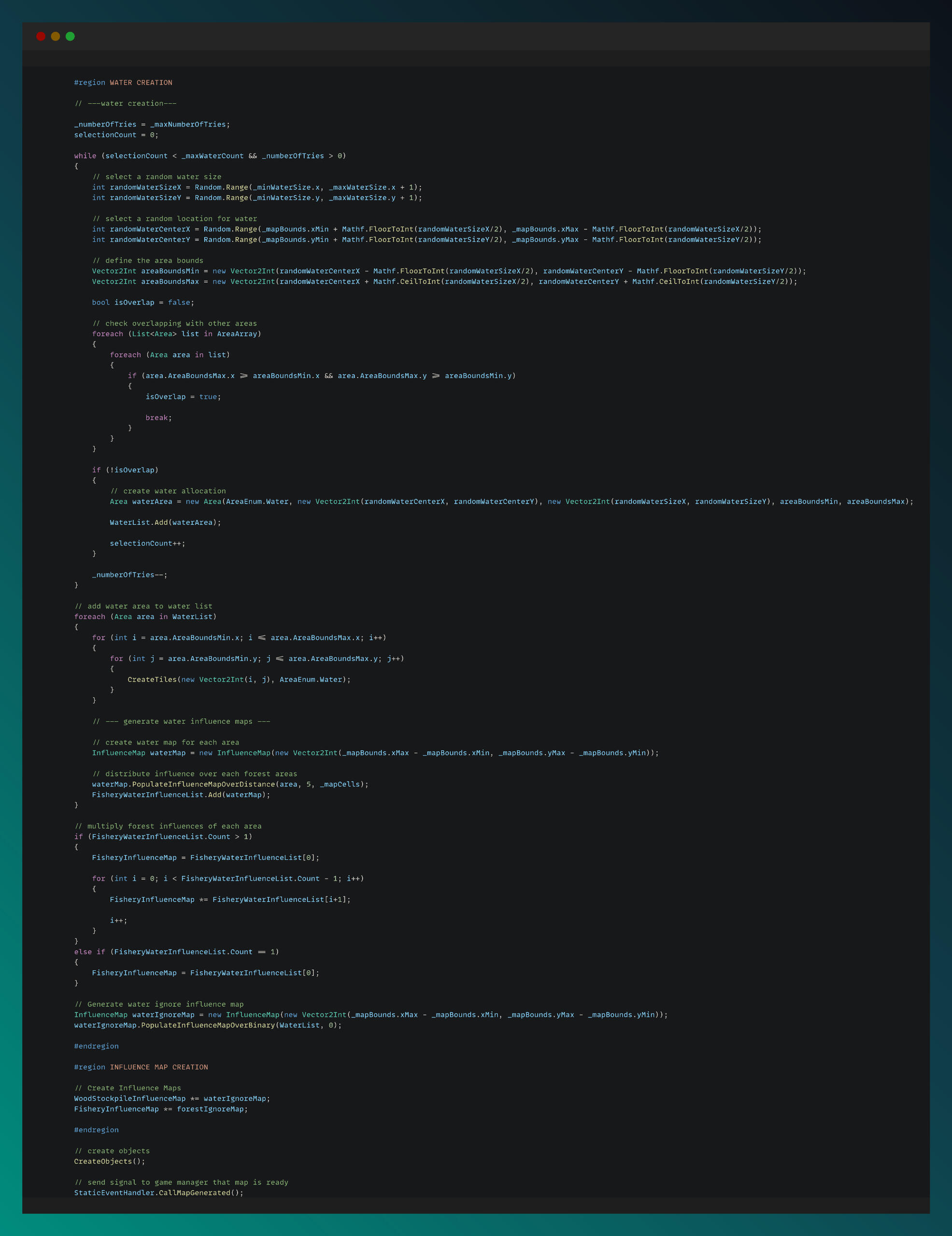
Map Generation
The codes are shown some parts of the procedural map generation logic with using Cellular Automata algorithm and Influence Map mapping.
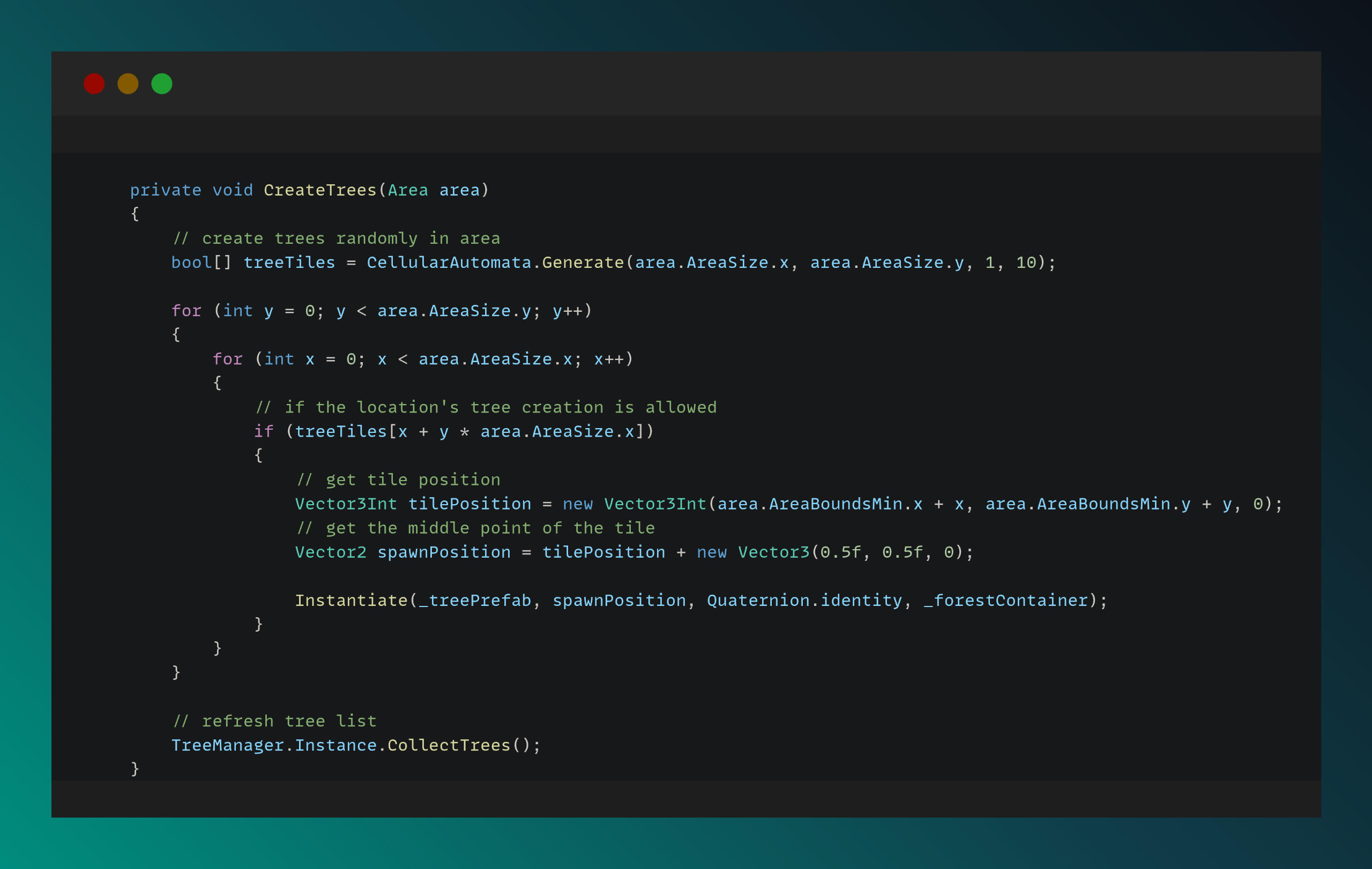
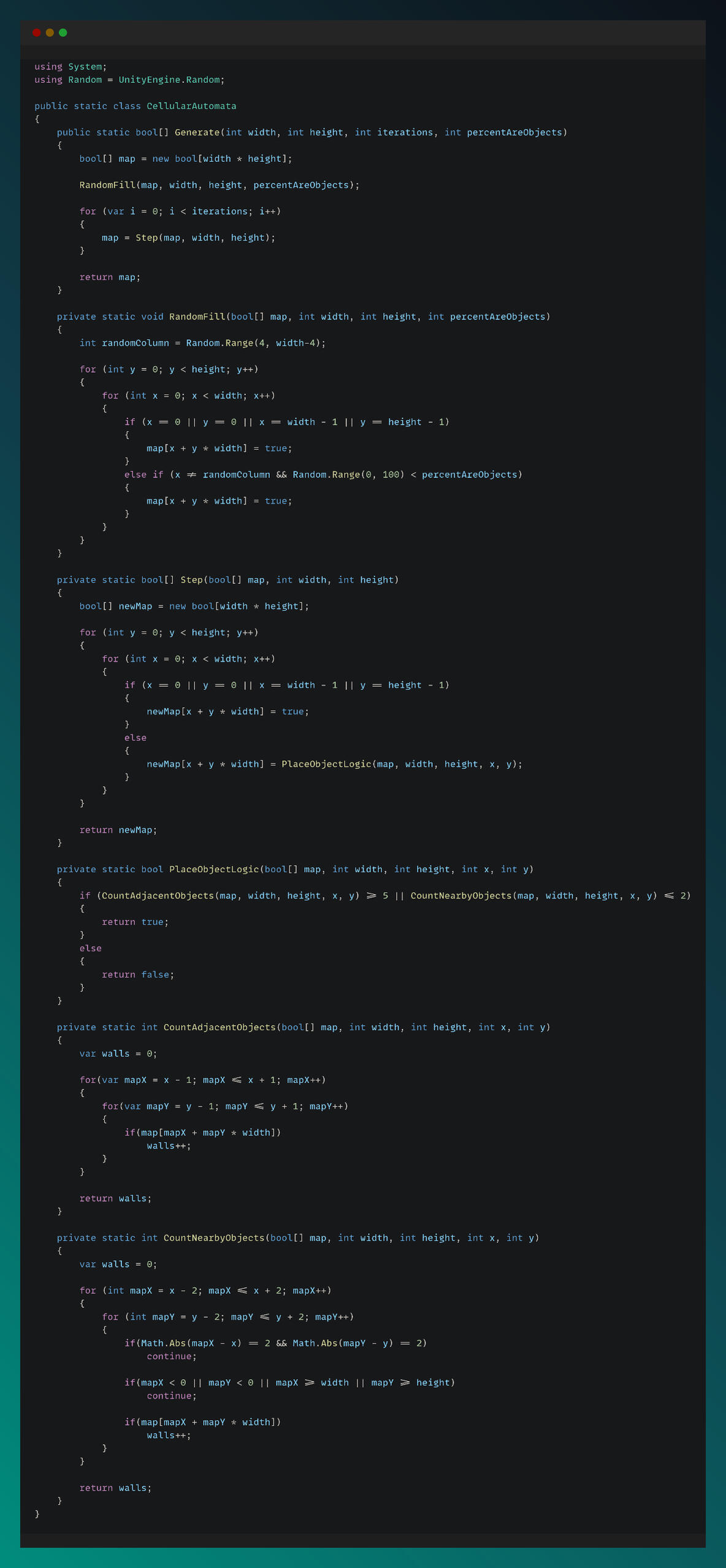
Cellular Automata
I used cellular automata algorithm for creating trees in forest areas.
Influence Map
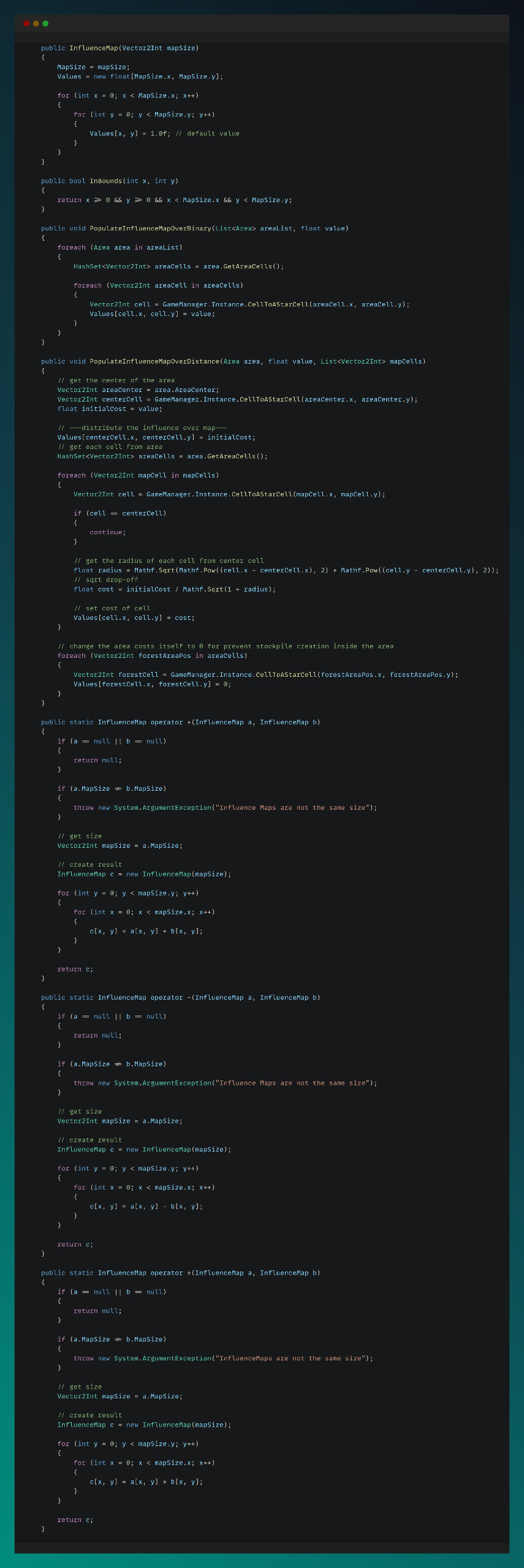
Influence Map is used for finding optimized building spots by AI in procedurally generated map.
Vampire Stuff
Solo ProjectGame Engine: UnityIt started as a Vampire Survivors-inspired school assignment at Futuregames, but I went beyond the original scope and developed a more advanced gameplay experience — including a chest upgrade system and randomized enemy movements.
It's still a prototype, and I continue to update the game from time to time.
Technical explanations and code snippets of some implementations can be found below:
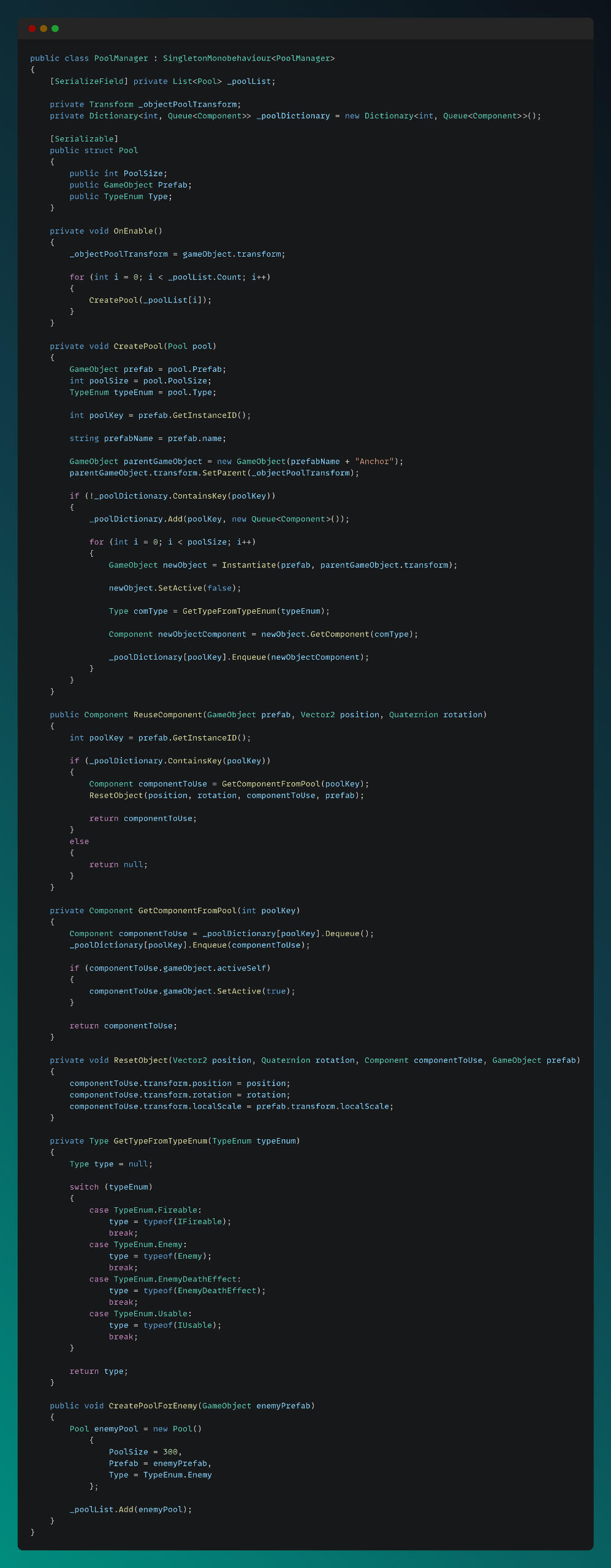
Object Pool System
I implemented an object pool manager to handle multiple object pools within a single script, since the game is very spawn-heavy. By using object pooling, we minimized the performance cost of frequent instantiation and destruction, reducing both CPU overhead and memory allocations. This optimization ensured smoother gameplay and more efficient resource management.
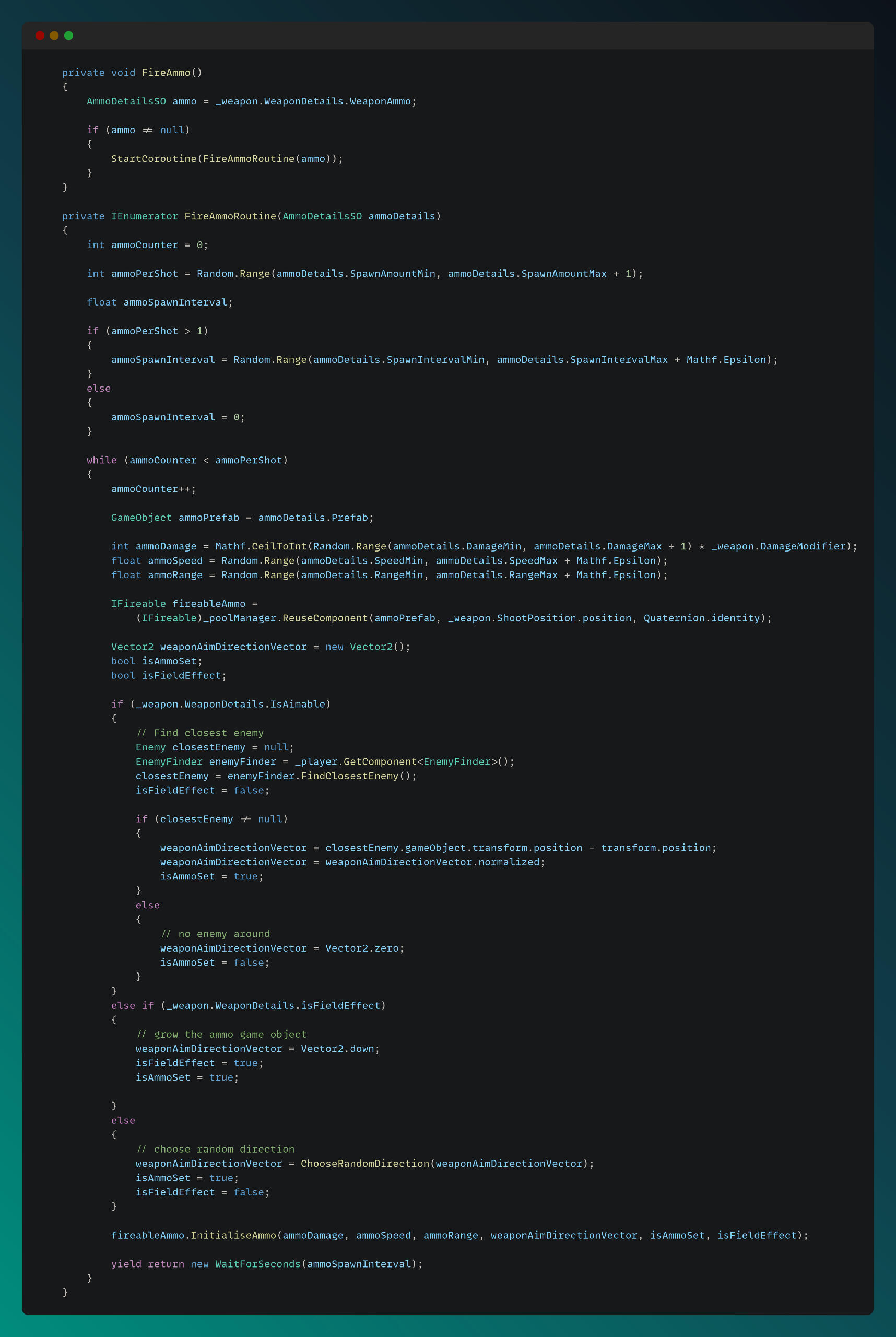
As an example of using the object pool, FireAmmo logic can be checked in FireWeapon class:
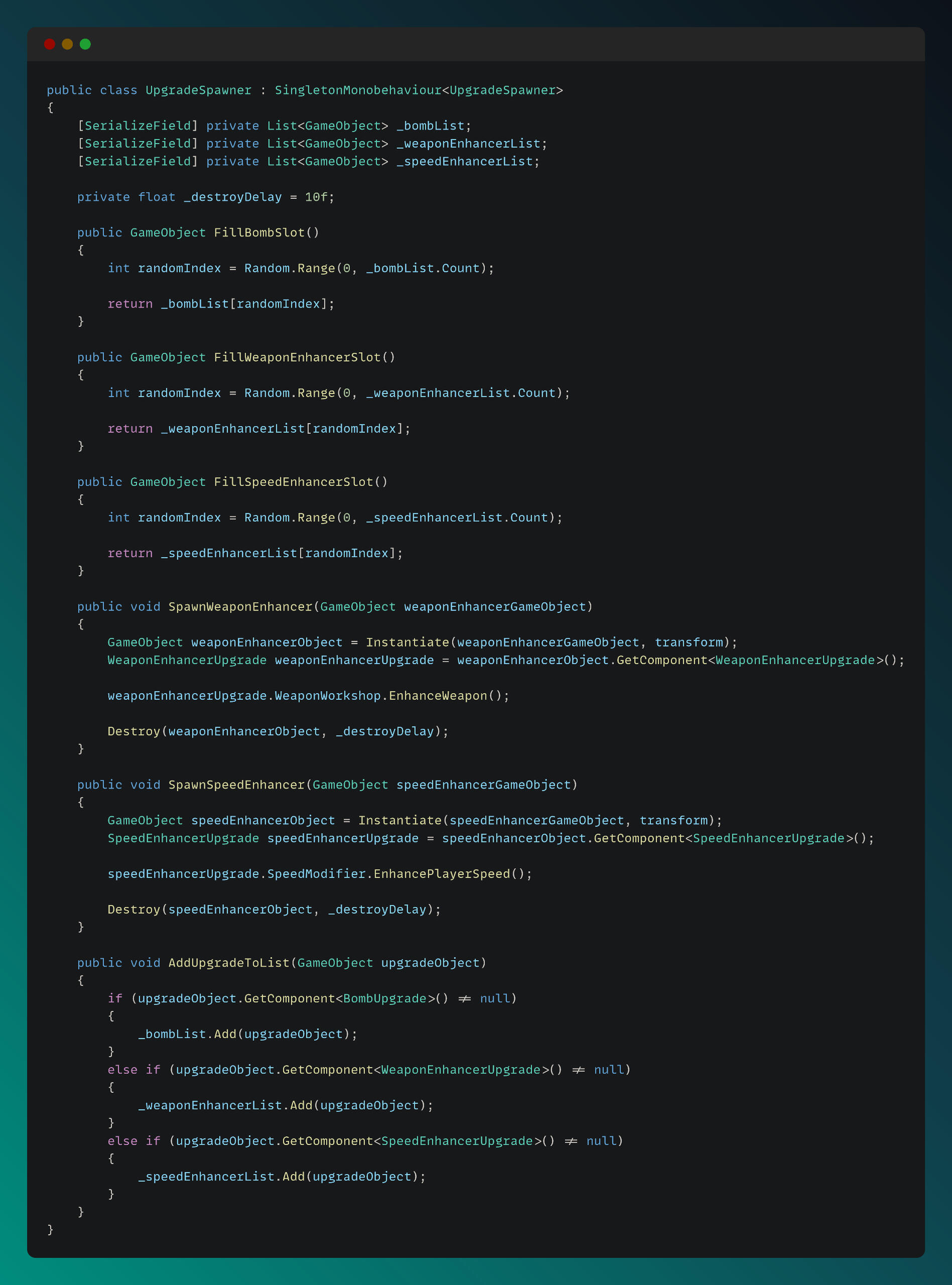
Upgrade System
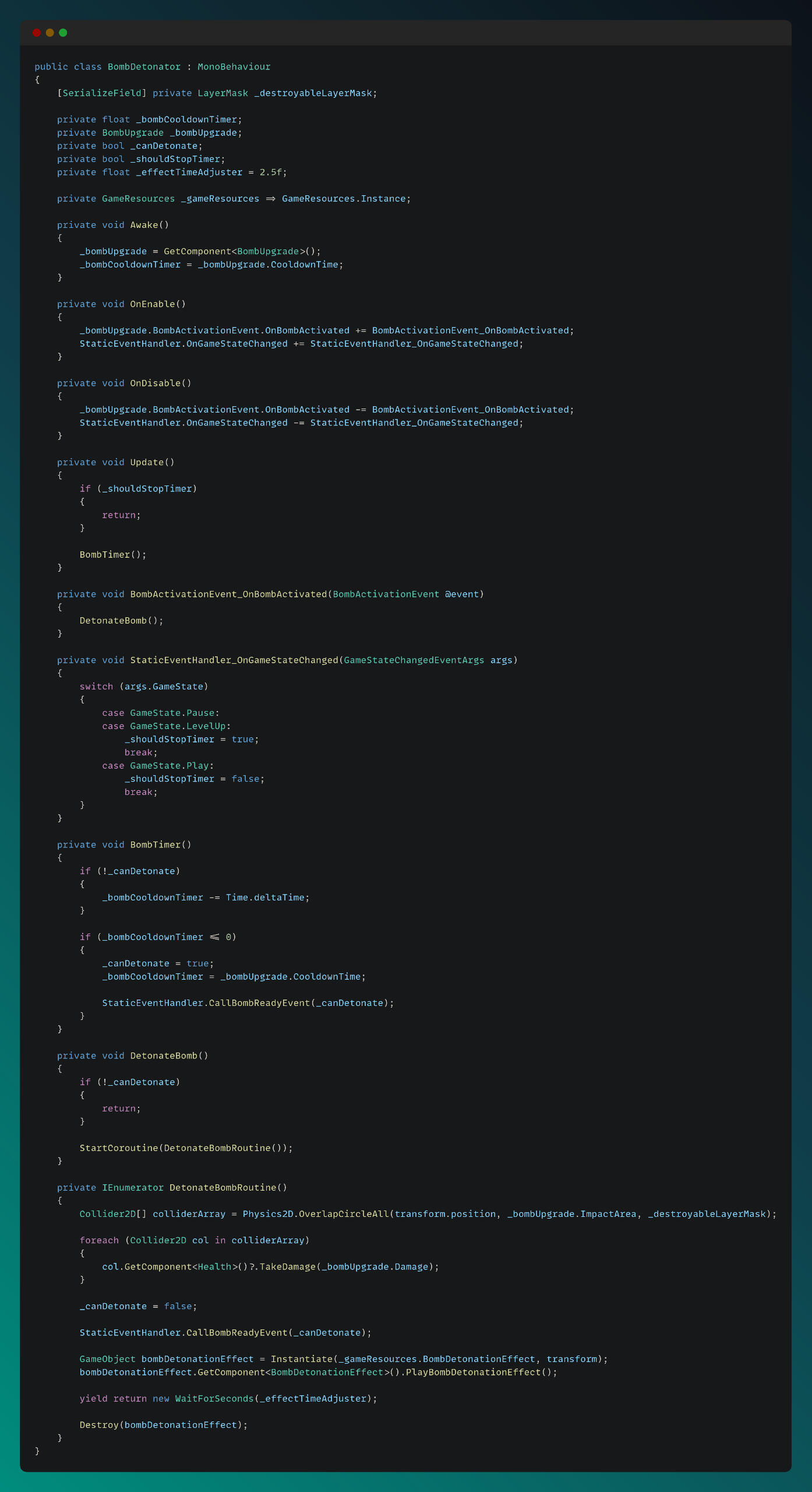
For the upgrade system, I created Upgrade class which is inherited from MonoBehavior and used as a parent class for different upgrade types. UpgradeSpawner class can be seen below:
For the bomb upgrade, I created BombDetonator class to handle bomb detonation logic, which can be seen below:
Chest System
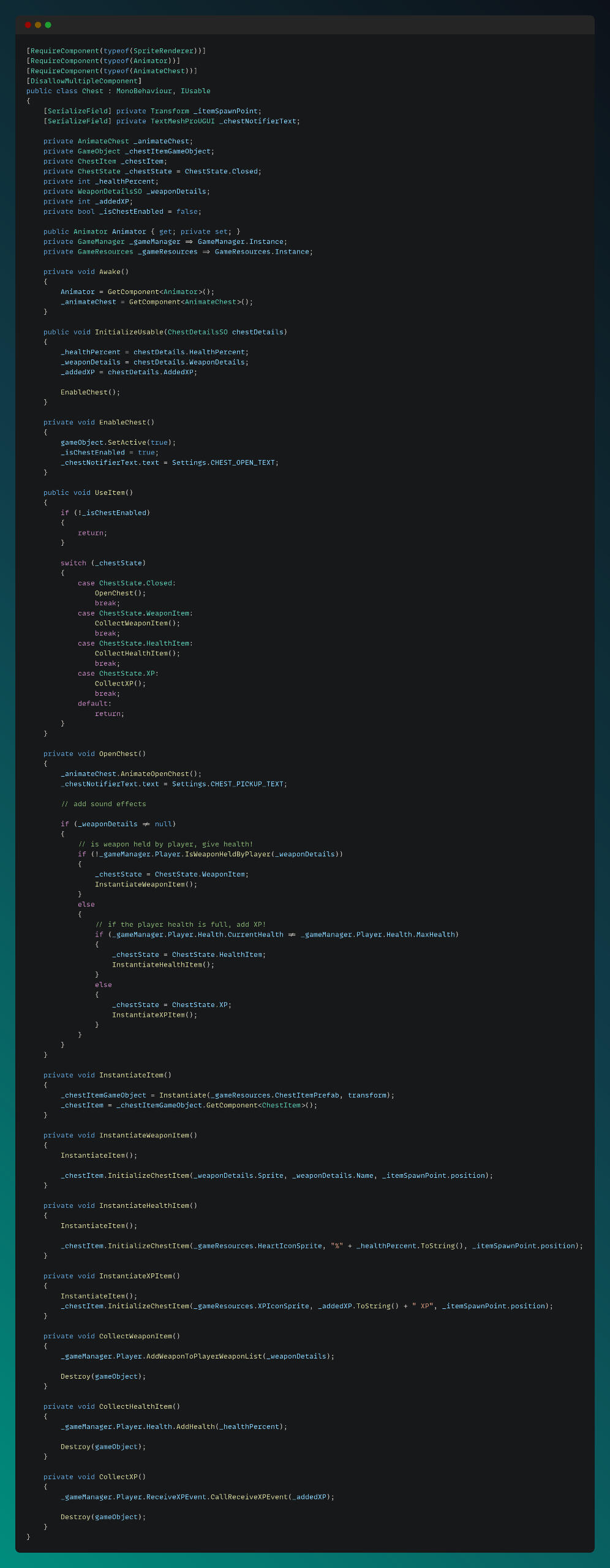
For chests, I implemented a chest class which is inherited from MonoBehavior and uses IUsable interface, which can be seen below:
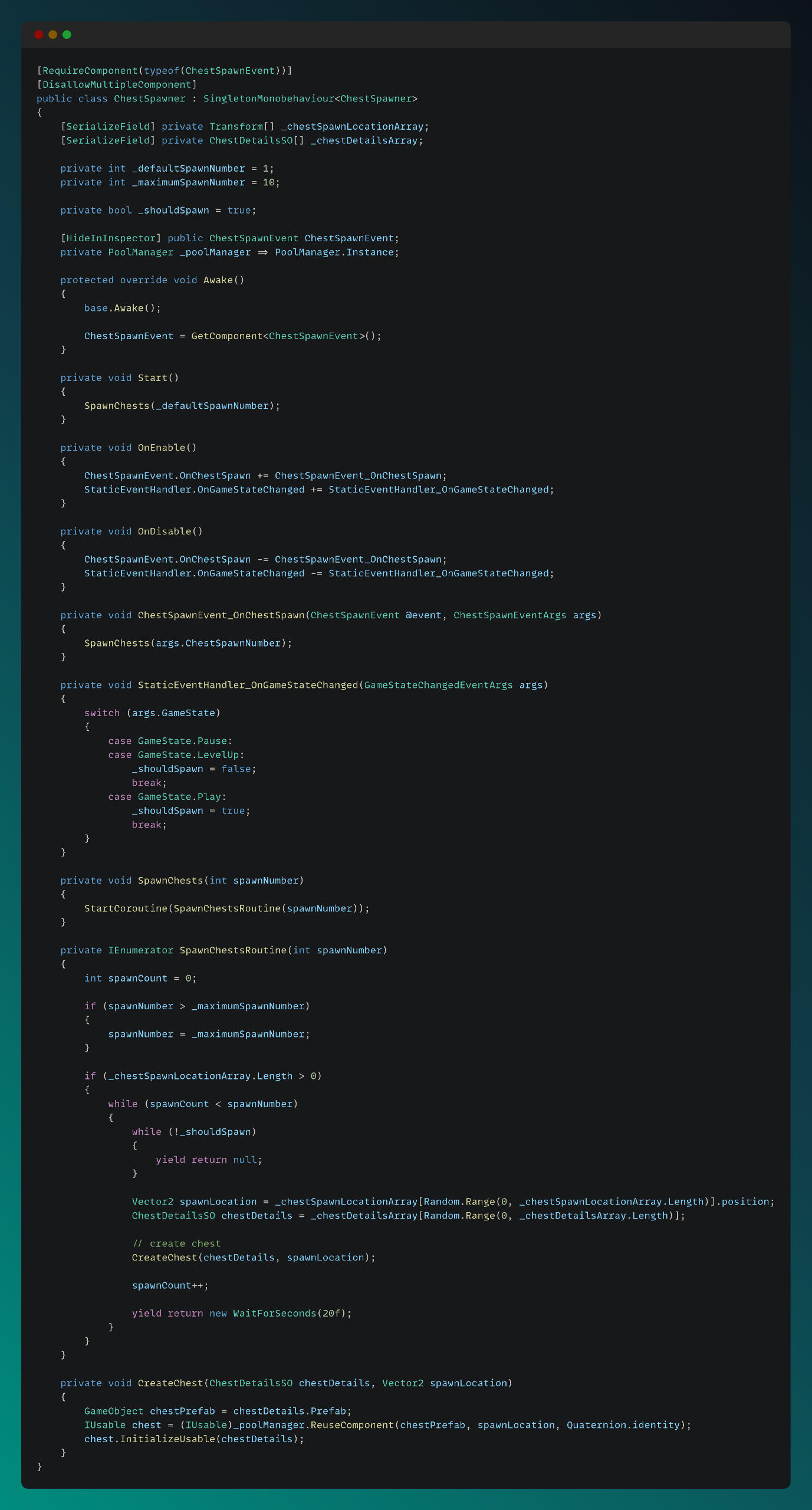
Chest Spawner script handles chest spawning logic, with using object pool and coroutines:
CODE SNIPPETS & TECHNICAL EXPLANATIONS
Behavioral AI and NPC Systems
Customer Behavior - Unreal Engine - code snippets
Enemy Behavior - Tower Defense Unity Engine - code snippets
Enemy Systems - Tower Defense Unity Engine - code snippets
Enemy Behavior & Core Systems- Izometric Action Unity Engine -code snippets
Enemies - Bullet Hell Unreal Engine - code snippets
Behavioral AI Tree & Tasks - Bullet Hell Unreal Engine - code snippets
Core Systems
Full Automated Village Simulation - Unity Engine - code snippets
Interaction System - Unreal Engine - code snippets
Game Logic, Building System - Unity Engine - code snippets
Player & Truck Controller - Unreal Engine - code snippets
Object Pool System - Unity Engine - code snippets
Upgrade System - Unity Engine - code snippets
Chest System - Unity Engine - code snippets
Enemy Management System - Bullet Hell Unreal Engine - code snippets